The most effective wedding planning approach in 2026 starts with locking in your budget and guest list before you book a single vendor. The average Australian wedding costs AU$38,252, with venue and catering making up nearly half that figure. Getting these two foundations right first prevents the decision paralysis and overspending that catch so many couples off guard. These wedding planning tips 2026 couples need most are practical, sequenced, and grounded in Australian legal and market realities.
1. Set your budget and guest list first
Planning out of sequence is the top trigger for budget blowouts. Locking in a realistic number before you fall in love with a venue saves enormous heartache later.
Typical Australian wedding spending ranges between AU$30,000 and AU$55,000 depending on location, with Sydney sitting at the highest average. A 15% budget buffer is recommended in 2026 to cover hidden fees and surcharges that rarely appear in initial quotes. Build that buffer in from day one.
Your guest count is the single biggest lever on cost. Reducing guests by 20 saves more than any vendor negotiation because most expenses scale per head, including catering, invitations, and seating. Decide on your guest list before you set foot in a venue.
Top cost-saving tactics for 2026:
Book an off-peak or weekday date to save 10–25% on venue and vendor costs
Combine ceremony and reception at one venue to reduce transport and unlock package discounts
Trim your guest list ruthlessly before finalising catering quotes
Avoid peak months (september to november and march to april) for better availability and pricing
Get itemised quotes from all vendors so hidden charges surface early
2. Understand the legal requirements for marriage in Australia
Australian marriage law has specific deadlines that catch couples off guard every year. The Notice of Intended Marriage must be lodged at least one calendar month and no more than 18 months before your ceremony. Miss that window and your wedding cannot legally proceed.
Required documents include proof of birth, a current photo ID, and if either partner has been previously married, a divorce or death certificate. Your authorised celebrant holds the paperwork and guides you through the process, but gathering documents is your responsibility. Start collecting them well before your lodgement date.
A significant legal update took effect on 12 June 2024. Australian law now requires separate in-person consent meetings with each partner before the ceremony. This step is easy to overlook when you are focused on flowers and seating plans, so schedule it deliberately.
Confirm your celebrant is registered with the Attorney-General’s Department
Lodge your Notice of Intended Marriage with all required documents
Schedule your individual in-person consent meetings
Review and sign the official marriage documents before the ceremony
Receive your Marriage Certificate after the ceremony is registered
Pro Tip:Book your celebrant at the same time as your venue. Popular celebrants fill their calendars quickly, and you need them registered before you can lodge your Notice of Intended Marriage.
3. Book your vendors in the right order
For Australian couples, vendor sequencing starts with the venue and date, followed by the celebrant, photographer, caterer and videographer. Securing the venue fixes the date that every other supplier needs. When you speak with your photographer, share your ceremony time and venue as early as possible so you can begin planning a realistic photography timeline around the day.
90% of Australian couples prioritise professional photography, making it a tier-one vendor that deserves early attention. Photography is the lasting record of your day. Cutting costs here is a decision most couples regret. Read more about why photography comes first before you finalise your vendor list.
Key vendor booking principles:
Secure your venue and date before approaching any other vendor
Book your photographer as soon as your date is confirmed. How early you book directly affects which professionals are available
Ask each vendor for a written quote with a full breakdown of inclusions
Confirm deposit amounts, payment schedules, and cancellation terms in writing
Combining ceremony and reception venues often includes free ceremony hire when you book the reception
Pro Tip:Ask your venue if they have a preferred supplier list. These vendors already know the space, which makes coordination on the day far smoother.
4. Build your planning timeline and manage invitations
A 12 to 18 month planning window gives you the best access to popular venues and photographers. Couples planning destination weddings or peak-season dates should aim for the longer end of that range. Starting early is not about being anxious. It is about having real choices.
Send save-the-dates as soon as your venue and date are confirmed, especially for guests travelling interstate or overseas. Formal invitations typically go out 8–12 weeks before the wedding, with a clear RSVP deadline at least three weeks before the day. That gap gives you time to chase late responses and finalise your catering numbers.
A detailed day-of run sheet with built-in time buffers reduces stress and prevents rushed moments. Share it with your vendors, wedding party, and any family members with a role on the day. When everyone knows the plan, small delays stay small.
Planning timeline at a glance:
Timeframe
Key task
12–18 months out
Set budget, finalise guest list, book venue and photographer
9–12 months out
Lodge Notice of Intended Marriage, book celebrant and caterer
6–9 months out
Send save-the-dates, book remaining vendors
8–12 weeks out
Send formal invitations with RSVP deadline
2–3 weeks out
Confirm final numbers, share run sheet with all vendors
Key takeaways
Stress-free wedding planning in 2026 requires setting your budget and guest list first, booking tier-one vendors early, and lodging legal paperwork well within the required timeframes.
Point
Details
Budget and guest list first
Lock these in before approaching any venue or vendor to avoid overspending.
Legal deadlines are fixed
Lodge your Notice of Intended Marriage at least one month before the ceremony.
Photography is tier-one
Book your photographer immediately after confirming your venue and date.
Off-peak dates save money
Weekday and winter weddings can reduce vendor costs by 10–25%.
Run sheet prevents chaos
Share a detailed day-of timeline with all vendors at least two weeks out.
What I have learned from photographing hundreds of weddings
As an experienced wedding photographer, the pattern I see most often is couples who book their dream venue before they have agreed on a guest list or budget. The venue looks perfect in photos, but it seats 150 and they only wanted 60 guests. Suddenly the budget is stretched just to fill the room.
The couples who have the most relaxed weddings are the ones who treat the guest list as a financial decision, not just a social one. They also tend to book their photographer early, not because they are organised by nature, but because they understand that the photos are what they will still be looking at in 30 years.
I have also noticed a genuine shift in 2026 wedding trends. Couples are moving toward sustainable styling, locally sourced florals, and deeply personalised experiences rather than following a generic theme. That shift rewards flexibility. If you are open to a slightly unusual date or a less conventional venue, you will often find better vendors, better pricing, and a day that actually feels like yours. The common planning mistakes I see most often come down to one thing: rushing the foundations to get to the fun parts.
— Steven
How Svenstudios can help you capture your 2026 wedding
Svenstudios is an Adelaide-based wedding photography and videography team with a relaxed, candid approach that suits couples who want genuine moments over posed perfection. Steven and Luisa work across South Australia and beyond, offering packages that cover photography, videography, audio guestbooks, and virtual reality recording.
If you are in the early stages of planning, exploring different wedding photography styles is a great way to clarify what you want before you start comparing photographers. Booking early gives you the best chance of securing your preferred date and style. You can also browse the full Svenstudios wedding portfolio to see how their storytelling approach translates across different venues and lighting conditions.
FAQ
How much does the average Australian wedding cost in 2026?
The average Australian wedding costs AU$38,252 in 2026, with typical spending ranging between AU$30,000 and AU$55,000 depending on location.
When do I need to lodge my Notice of Intended Marriage?
You must lodge it at least one calendar month and no more than 18 months before your ceremony, along with proof of birth, photo ID, and any divorce or death certificates.
How early should I book a wedding photographer?
Book your photographer as soon as your venue and date are confirmed, ideally 12–18 months out, as top professionals fill their calendars quickly.
Can I save money by choosing a weekday wedding?
Yes. Off-peak and weekday dates can reduce venue and vendor costs by 10–25%, and they often come with better availability from popular suppliers.
What is the new legal consent meeting requirement in Australia?
Since 12 June 2024, Australian law requires a separate in-person consent meeting with each partner before the ceremony. Schedule these meetings with your celebrant well before the wedding day.
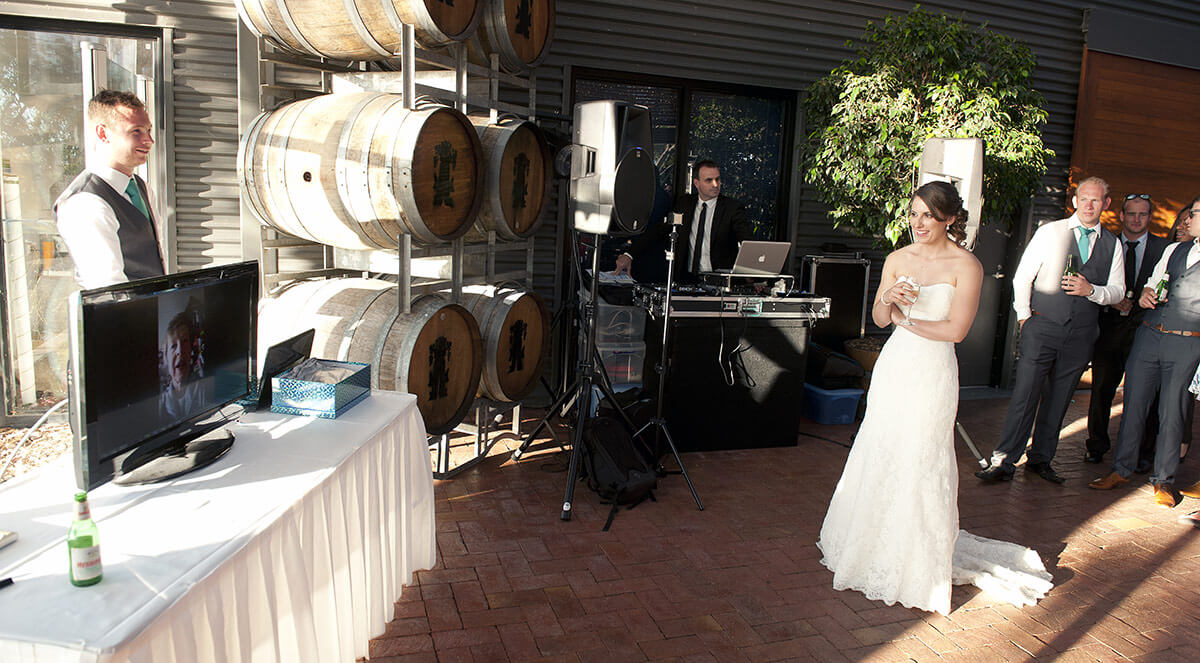
A same day wedding slideshow is a curated visual presentation of photos taken during your wedding and displayed to guests on the day itself, before the night is over. The industry recognises two main formats: a professionally edited same day video sequence and a live guest interactive slideshow. Both create an immediate way to share wedding memories with everyone in the room. Svenstudios, an Adelaide wedding photography and videography team, regularly incorporates these experiences into their couples’ wedding days as part of a broader commitment to authentic, emotion-filled storytelling.
What are the main types of same day wedding slideshows?
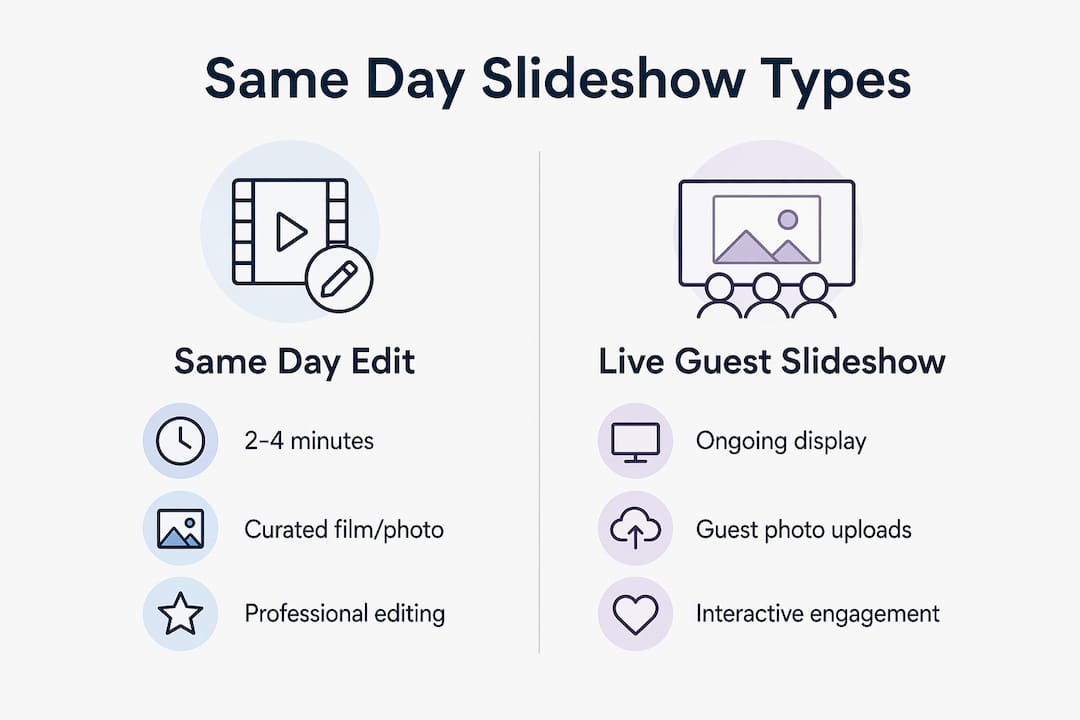
A same day wedding slideshow falls into two categories: the Same Day Edit and the Live Guest Slideshow. They serve different purposes and suit different wedding styles.
The Same Day Edit is a professionally produced short film or photo sequence, typically 2–4 minutes long, assembled by your photographer or videographer during the reception. It tells the story of your day through carefully selected, colour-graded images or footage. The result feels cinematic and deliberate, much like a wedding highlight film shown to guests during dinner or the transition to dancing.
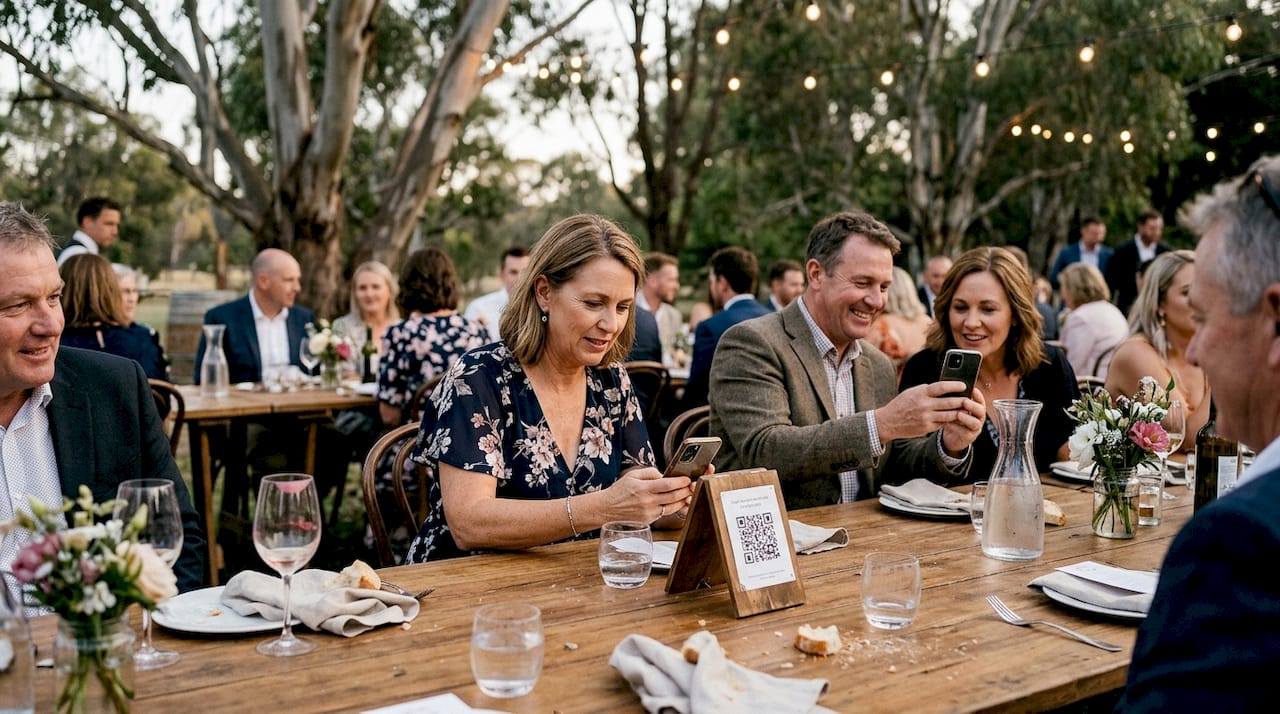
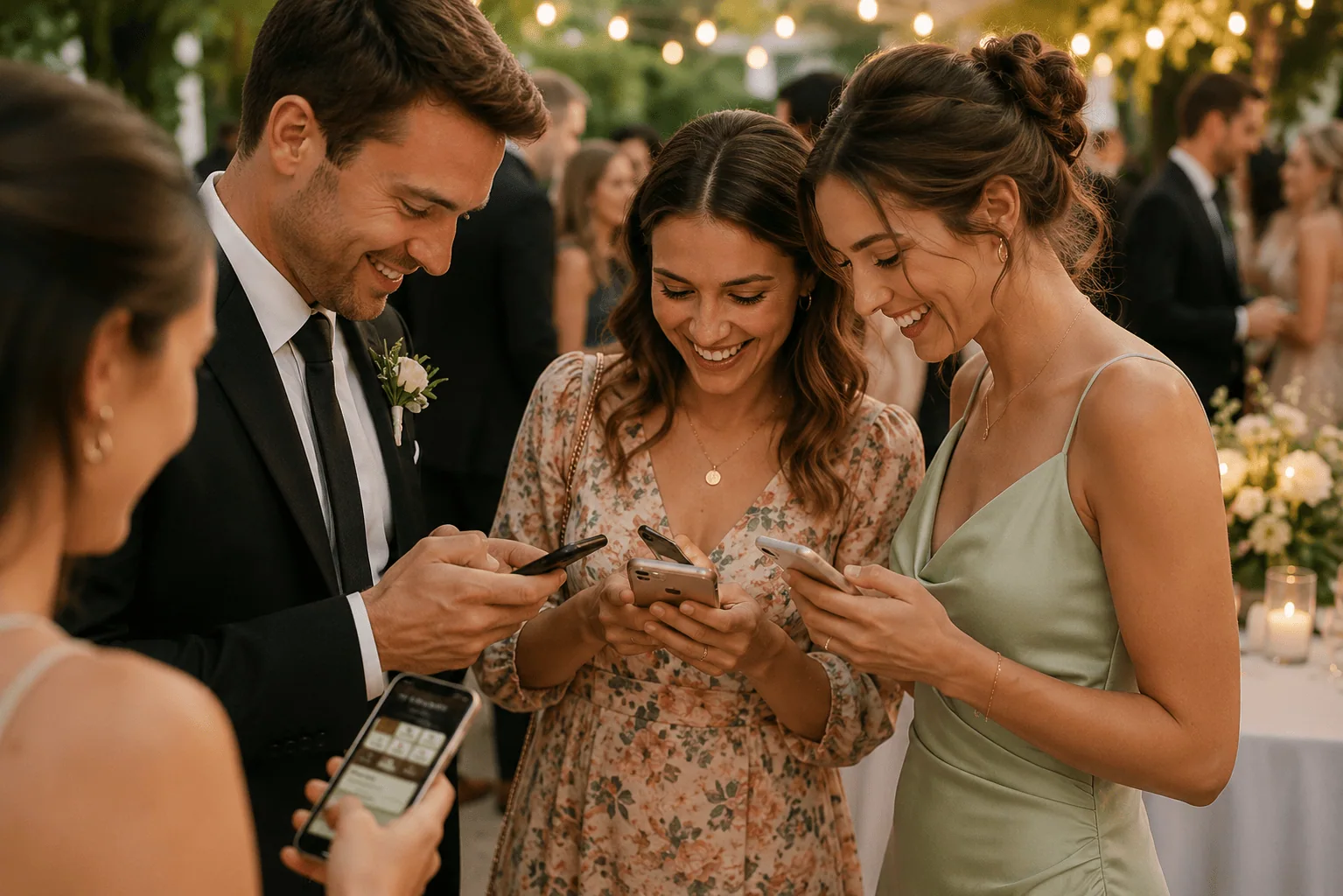
The Live Guest Slideshow works differently. Guests upload their own photos via a QR code or photo sharing app, and those images appear on screen within 10–30 seconds. The slideshow builds in real time throughout the reception. It is raw, spontaneous, and genuinely fun to watch because guests see their own shots appear almost instantly.
Feature
Same Day Edit
Live Guest Slideshow
Length
2–4 minutes
Ongoing throughout reception
Content source
Professional photographer/videographer
Guest-uploaded photos
Upload to screen delay
N/A
10–30 seconds
Interactivity
Low
High
Setup complexity
High (editing required)
Moderate (tech setup)
Emotional tone
Cinematic, curated
Spontaneous, social
Both formats enhance guest engagement and give your wedding day an extra layer of warmth. The right choice depends on whether you want a polished narrative or a lively, crowd-sourced experience.
How does a live guest interactive slideshow work?
A live guest slideshow relies on a few straightforward components working together: a display screen, a streaming device, a photo sharing app or platform, and a QR code that guests scan to upload images. When a guest takes a photo and scans the code, their image joins the queue and appears on screen within seconds. The effect is immediate and genuinely exciting for guests who spot their own shot on the big screen.
Setup typically takes 30–45 minutes on the wedding day and costs in the range of $250–$500. That investment results in 2.3 times more guest photo submissions compared to weddings without a live display. More submissions means broader coverage of candid moments your professional photographer may not have caught.
One practical consideration is internet reliability. Venue WiFi is the main risk for live slideshows, and professionals recommend using a dedicated mobile hotspot or wired connection for the display device. A dropped connection mid-reception is awkward and avoidable with a little preparation.
Here is a simple setup process to follow:
Confirm your venue has a suitable screen or arrange a hire screen in a visible location.
Set up your streaming device and connect it to a dedicated hotspot, not the venue’s shared WiFi.
Configure your photo sharing app and generate a QR code for guest uploads.
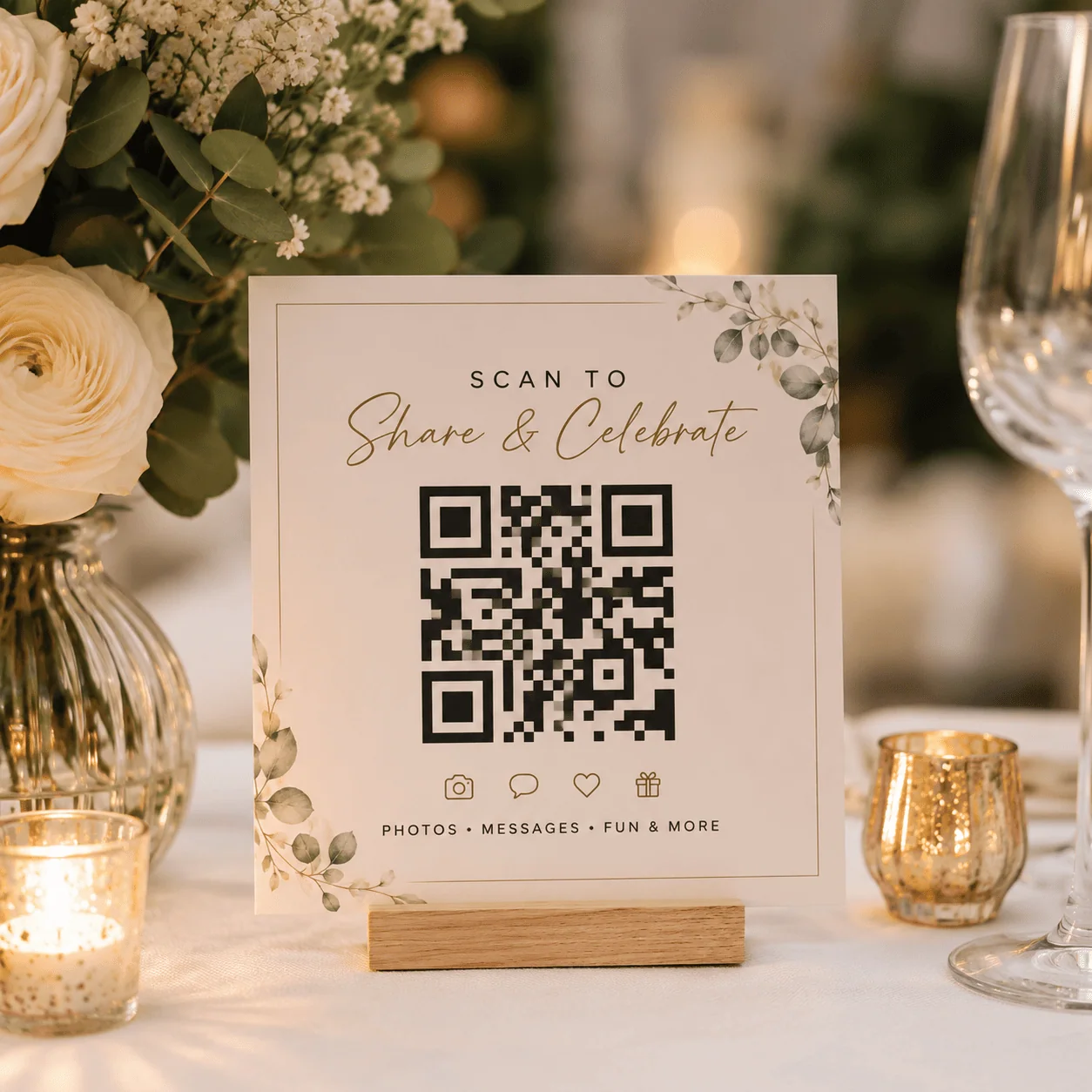
Print or display the QR code on tables, at the bar, and near the dance floor.
Brief your MC or DJ to announce the slideshow and encourage guests to participate.
Pro Tip:Ask your MC or DJ to use specific scripted phrasing when promoting the slideshow. Active MC promotion dramatically increases the number of guests who actually upload photos, which makes the slideshow far more engaging for everyone.
Svenstudios offers QR-based photo sharing as part of their wedding day services, making it straightforward for couples to incorporate this kind of interactive experience without managing the tech themselves.
What are the benefits and logistics of a professional same day edit?
A professionally produced same day edit delivers something a live slideshow cannot: a polished, emotionally resonant story. Couples who show a same day edit during the reception report a 40% increase in guest engagement during transitional moments, particularly the shift from dinner to dancing. That figure reflects how powerfully a well-crafted visual story can hold a room’s attention.
The most common misconception is that a same day edit is simply a quick dump of raw photos. It is not. A quality edit is a carefully crafted narrative that complements the flow of your wedding day. Achieving that quality takes time and a skilled hand.
Key logistical points to plan for:
Editing time. Your photographer or videographer typically needs 3–4 hours of quiet time during the reception to produce a polished edit. Plan this into your timeline before the day.
Venue AV setup. Confirm the venue has a compatible screen, projector, and audio system. Test playback before guests arrive.
Timing the reveal. Show the edit during dinner or cocktail hour, not during speeches or the first dance, where it will compete with key moments.
File export. Agree on the export format with your photographer in advance so playback is smooth on the venue’s equipment.
Pro Tip:Build a dedicated editing window into your wedding photo timeline so your photographer has uninterrupted time to work. Couples who plan this in advance consistently get a better result than those who leave it to chance.
How to successfully integrate a slideshow into your wedding day
Timing and placement make or break a wedding slideshow. Live slideshows work best during dinner or the transition to dancing, where they act as background entertainment rather than a distraction from key moments. The same principle applies to same day edits: play them when guests have a natural pause in the programme.
Practical tips for a smooth experience:
Place the display screen where it is visible from most seats, ideally near the dance floor or at the front of the reception room.
For live slideshows, put QR codes on every table, at the bar, and near the entrance so guests encounter them naturally.
Notify your MC, DJ, and venue coordinator about the slideshow well before the day so everyone is aligned.
For couples wanting to personalise their photography experience, discuss slideshow integration with your photographer during the planning stage, not the week before.
Consider running the live slideshow during cocktail hour to boost guest photo coverage from the very start of the reception.
The Happlee QR system at Svenstudios’ Happlee QR page is worth exploring if you want a purpose-built solution for guest photo sharing that feeds directly into a live display. It handles the QR code, upload flow, and screen display in one place, which removes a lot of the technical guesswork from the process. Many couples find that having a single, reliable system makes the whole experience feel effortless on the day.
Key takeaways
A same day wedding slideshow is most effective when the format, timing, and technical setup are planned well in advance of the wedding day.
Point
Details
Two distinct formats
Same Day Edits are curated and cinematic; Live Guest Slideshows are interactive and crowd-sourced.
Live slideshow engagement
Guest photo submissions increase by 2.3 times when a live display is active during the reception.
Professional edit logistics
Allow 3–4 hours of quiet editing time on the day for a polished same day edit.
Timing matters
Show slideshows during dinner or cocktail hour to avoid competing with speeches or key moments.
Tech reliability
Use a dedicated mobile hotspot for live slideshows to avoid venue WiFi failures.
What I have learned from years of same day slideshows
As an experienced wedding photographer, I have seen both formats succeed and fail, and the difference almost always comes down to planning. Couples often assume a same day edit will just “happen” while the photographer is shooting. The reality is that producing a quality edit on the day requires a second person, a clear timeline, and quiet time during the reception. Without those three things, the result is rushed and it shows.
Live guest slideshows, on the other hand, tend to surprise couples with how much fun they create. Watching guests crowd around the screen when their photo appears is genuinely joyful. But I have also seen them fall flat when the MC does not promote them, or when the venue WiFi drops out halfway through dinner. The tech side is simple to manage if you prepare for it.
My honest advice: if you want something emotionally powerful and cinematic, invest in a professional same day edit and build the time for it into your day. If you want energy, laughter, and guest participation, a live slideshow is hard to beat. Some couples do both, and when it is planned well, the combination works beautifully.
— Steven
Svenstudios and your wedding day memories
Svenstudios brings together wedding photography, videography, and interactive photo experiences for couples across Adelaide. Whether you are drawn to a cinematic wedding video or a live guest slideshow that gets everyone involved, Steven and Luisa approach every wedding with the same care for authentic, candid moments. Their Happlee QR photo sharing service is designed specifically for couples who want guests to contribute photos in real time, with a simple QR code and a live display that works reliably on the day. If you are still weighing up your options, their wedding photography styles guide is a great place to start understanding what kind of visual story suits your wedding best.
FAQ
What is a same day wedding slideshow?
A same day wedding slideshow is a visual presentation of photos displayed to guests during the wedding reception on the day itself. It takes the form of either a professionally edited video sequence or a live guest photo display updated in real time.
How long does a same day edit take to produce?
A professional same day edit typically requires 3–4 hours of quiet editing time during the reception to achieve a polished result.
How quickly do guest photos appear on a live slideshow?
Guest photos uploaded via QR code or a photo sharing app generally appear on the display screen within 10–30 seconds of submission.
What is the typical cost of a live guest slideshow?
A live guest interactive slideshow typically costs between $250 and $500, including setup, which takes around 30–45 minutes on the wedding day.
When is the best time to show a wedding slideshow?
The best time is during dinner or the cocktail hour, when guests have a natural pause in the programme and the slideshow enhances the atmosphere without competing with speeches or key moments.
A second photographer, also called a second shooter, is a professional photographer who works alongside the lead photographer to capture your wedding from multiple angles and locations at the same time. The case for including one is straightforward: a single photographer cannot be in two places at once. For weddings with 80 or more guests, multiple venues, or separate getting-ready locations, dual coverage is the difference between a complete visual story and a collection of gaps. In Australia, adding a second shooter typically costs between $500 and $1,200, depending on experience and the package you choose.
Why include a second photographer: the moments you would otherwise miss
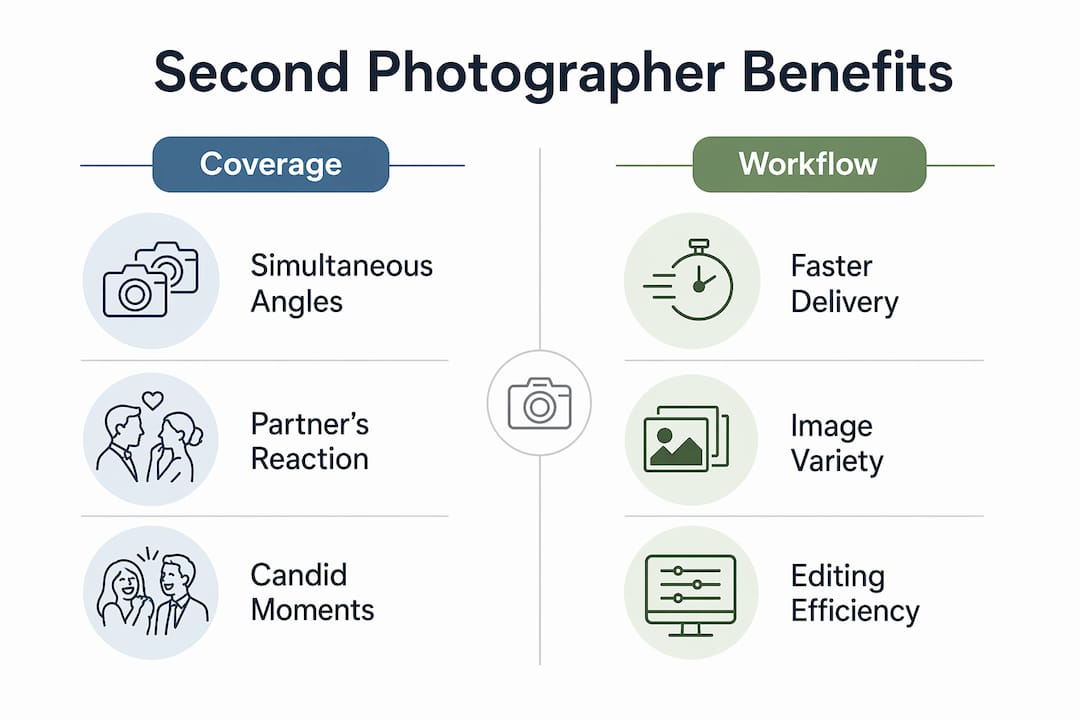
The most compelling reason to add a second shooter is simultaneous coverage. When the lead photographer focuses on the bride walking down the aisle, the partner’s reaction goes unrecorded without a second camera in the room. That reaction, often the most emotionally charged moment of the entire ceremony, is gone in seconds. No amount of post-production skill can recreate it.
A second photographer also tracks events happening in parallel across your day:
Getting ready at separate locations. If you and your partner are preparing in different venues, one photographer cannot cover both. A second shooter captures your partner’s morning independently, giving you a complete picture of the day.
Candid guest moments. While the lead photographer works with the bridal party, a second shooter moves through the crowd, catching genuine laughter, tears, and interactions that build the emotional texture of your wedding story.
Opposite angles during key moments. Two photographers positioned at different points during the ceremony create visual variety that a single shooter simply cannot produce.
Reception details and arrivals. When you are being announced into the reception, a second photographer can capture the room’s reaction while the lead focuses on you.
Pro Tip:Ask your lead photographer how they coordinate with their second shooter during the ceremony. A clear communication plan between the two means no duplicated shots and no missed angles. You can also explore SvenStudios’ wedding photography and videography.
The result is a broader, richer wedding photography narrative that reflects the full emotional range of your day, not just the moments one person could reach.
When is hiring a second photographer truly worth the extra cost?
The value of a second shooter scales directly with the complexity of your wedding. Weddings with 80 or more guests or multiple locations benefit most from dual coverage. Smaller, more intimate weddings under 60 guests can often be handled beautifully by a single experienced photographer.
Scenarios where a second photographer adds clear, measurable value:
Two getting-ready locations. For weddings where partners prepare in separate venues, a second shooter is almost essential to avoid missing key moments from either side of the morning.
Tight schedules. When your timeline leaves little room for error, a second photographer speeds up group shots and reduces the risk of falling behind.
Large bridal parties. Coordinating group photos with 10 or more people is faster and more efficient with two photographers directing and shooting simultaneously.
Multiple ceremony and reception venues. If your ceremony and reception are at different locations with a short transfer window, two photographers can split duties to cover both spaces.
Skipping a second photographer can save hundreds of dollars for simpler weddings, and that is a perfectly reasonable choice when the logistics are straightforward. The question to ask yourself is: how many things are happening at the same time on my wedding day?
Pro Tip:Map out your wedding day timeline before your photographer consultation. If you count three or more simultaneous events, a second shooter is worth the investment.
How does a second photographer affect workflow and delivery?
A second photographer is not an assistant carrying bags. They are an experienced professional who works independently to capture complementary angles, creating a fuller story when the images are combined in post-production.
The workflow between lead and second photographer follows a clear structure:
Pre-day briefing. The lead photographer briefs the second shooter on the timeline, key moments, and positioning plan so coverage is coordinated, not duplicated.
Independent shooting. During the ceremony and reception, both photographers work their assigned areas without overlapping unnecessarily.
Image integration. After the wedding, both sets of images are edited together to create a consistent, cohesive gallery.
Backup protection. If the lead photographer experiences equipment failure, the second shooter’s images protect you from losing coverage of critical moments.
The practical benefit of this structure is a faster, more complete delivery. More images from more angles means your gallery reflects the full scope of your day. Second photographers also speed up group shots, which keeps your schedule on track and reduces stress during a part of the day that couples often find tiring.
Pro Tip:When reviewing photographer packages, ask specifically whether the second shooter’s images are edited to the same standard as the lead’s. Consistency across the gallery matters.
What does adding a second photographer cost in Australia?
Adding a second shooter to your wedding photography package in Australia typically costs between $500 and $1,200. That range reflects differences in experience, the length of coverage required, and whether the second photographer is included in a bundled package or priced as an add-on.
Package type
Second photographer included
Typical additional cost
Entry-level packages
Rarely
$500–$800
Mid-range full-day packages
Sometimes
$600–$1,000
Premium full-day packages
Often included
$0–$1,200
Always confirm whether a second photographer is included before signing a contract. Some photographers list full-day coverage without specifying whether that means one or two shooters. The distinction matters enormously for larger weddings.
When budgeting, weigh the cost against the complexity of your day. For a 120-guest wedding across two venues, an extra $800 for a second shooter is a small fraction of your total photography investment and a significant protection against missed moments.
Pro Tip:Raise the second photographer question during your first consultation, not after you have signed. Some photographers offer early-booking discounts or include a second shooter in packages when asked upfront.
Key takeaways
A second photographer is most valuable when your wedding involves multiple simultaneous events, large guest numbers, or separate locations, and the cost is almost always justified by the coverage it protects.
Point
Details
Simultaneous coverage
A second shooter captures the partner’s reaction and candid guest moments the lead photographer cannot reach at the same time.
When it is worth it
Weddings with 80+ guests, two getting-ready locations, or tight schedules benefit most from dual coverage.
Professional standard
Second photographers are experienced professionals who shoot independently and deliver edited images to the same standard as the lead.
Australian cost range
Adding a second shooter typically costs $500–$1,200 depending on experience and package type.
Ask early
Confirm second photographer inclusion before signing your contract to avoid surprises and secure the best arrangement.
My honest take on second photographers after years of shooting weddings
As an experienced wedding photographer, I have shot weddings both with and without a second shooter, and the difference is not subtle. The weddings where I worked alone and the couple had two getting-ready locations are the ones I think about most. You make the best decisions you can in the moment, but you know there are images that simply do not exist.
The misconception I hear most often is that a second photographer is a luxury for big, elaborate weddings. That is not quite right. A second shooter is really about logistics. A 70-guest wedding at a single venue with a relaxed timeline? One experienced photographer handles that well. A 90-guest wedding across two suburbs with a 45-minute ceremony window? That is a different situation entirely.
What I would encourage you to do is think honestly about how many things are happening simultaneously on your day. If the answer is “quite a few,” the additional coverage a second shooter provides is not an indulgence. It is just good planning. The images you get back will reflect that decision for the rest of your life.
— Steven
How Svenstudios approaches second photographer coverage
At Svenstudios, Steven and Luisa work as a husband-and-wife team, which means you already have two experienced photographers who know each other’s instincts and shooting style intimately. That natural coordination produces the kind of authentic, candid coverage that feels effortless in the final gallery. Whether your wedding is an intimate gathering or a large celebration across multiple venues, Svenstudios offers flexible packages designed around your specific day. You can explore the full range of wedding photography styles and packages to find the coverage level that suits your wedding size, timeline, and budget. Reach out for a consultation and get honest advice on exactly what your day needs.
FAQ
What is a second photographer at a wedding?
A second photographer, or second shooter, is a professional photographer who works alongside the lead photographer to capture your wedding from different angles and locations at the same time.
How much does a second photographer cost in Australia?
Adding a second shooter in Australia typically costs between $500 and $1,200, depending on the photographer’s experience and the package structure.
Do I need a second photographer for a small wedding?
For weddings under 60 guests at a single venue with a straightforward timeline, one experienced photographer can provide thorough coverage without a second shooter.
What moments does a second photographer capture that the lead misses?
A second photographer captures the partner’s reaction during the ceremony, candid guest moments, and parallel events like separate getting-ready locations that the lead photographer cannot cover simultaneously.
Should I ask about a second photographer before booking?
Always raise the question during your first consultation. Some packages include a second shooter and some do not, and confirming this early gives you the clearest picture of what your coverage will look like.
QR codes at weddings have come a long way from being a tiny square stuck on an invitation and promptly forgotten about. Once upon a time, a wedding QR code was mostly used to send guests to a basic website, a map, or an RSVP form. Helpful? Absolutely. Exciting? Not always.
Modern weddings are different. Guests arrive with their phones, cameras, group chats, digital wallets, and a very strong habit of scanning anything that looks useful. That means your wedding QR code can be so much more than a link. It can become the centre of your guest experience.
That is exactly why Happlee QR was created. Instead of giving guests a single-purpose QR code they might scan once and forget, Happlee QR turns one scan into a complete wedding hub. Guests can find their seats, upload photos, leave messages, record audio, play games, unlock discoveries, answer polls, contribute to a wishing well, and interact with your day in ways that actually feel fun.
The real magic is not the QR code itself. The magic is giving guests a reason to use it.
So, if you are wondering how to use QR codes at your wedding in a way that feels useful, modern, memorable, and a little bit brilliant, here are 50 creative ideas to get you started.
Why Use QR Codes at Your Wedding?
A wedding QR code solves one of the biggest wedding-day problems: guests need information, couples need participation, and nobody wants to download another app. A QR code lets guests access everything instantly from their own phone. No accounts. No awkward instructions. No printed booklet that ends up abandoned on a table before dessert.
For couples, QR codes can reduce admin, save printing costs, make last-minute updates easier, and create a more interactive celebration. For guests, they make the day smoother. They can quickly find where they are sitting, check the schedule, upload the candid photos they just took, sign the guestbook, or take part in a game while waiting for the next formal moment.
That said, not all wedding QR codes are equal. A plain QR code that only links to a static web page is useful, but it does not invite repeat engagement. A wedding QR code connected to a platform like Happlee QR can offer multiple features from one place, which means guests have a reason to come back again and again throughout the day.
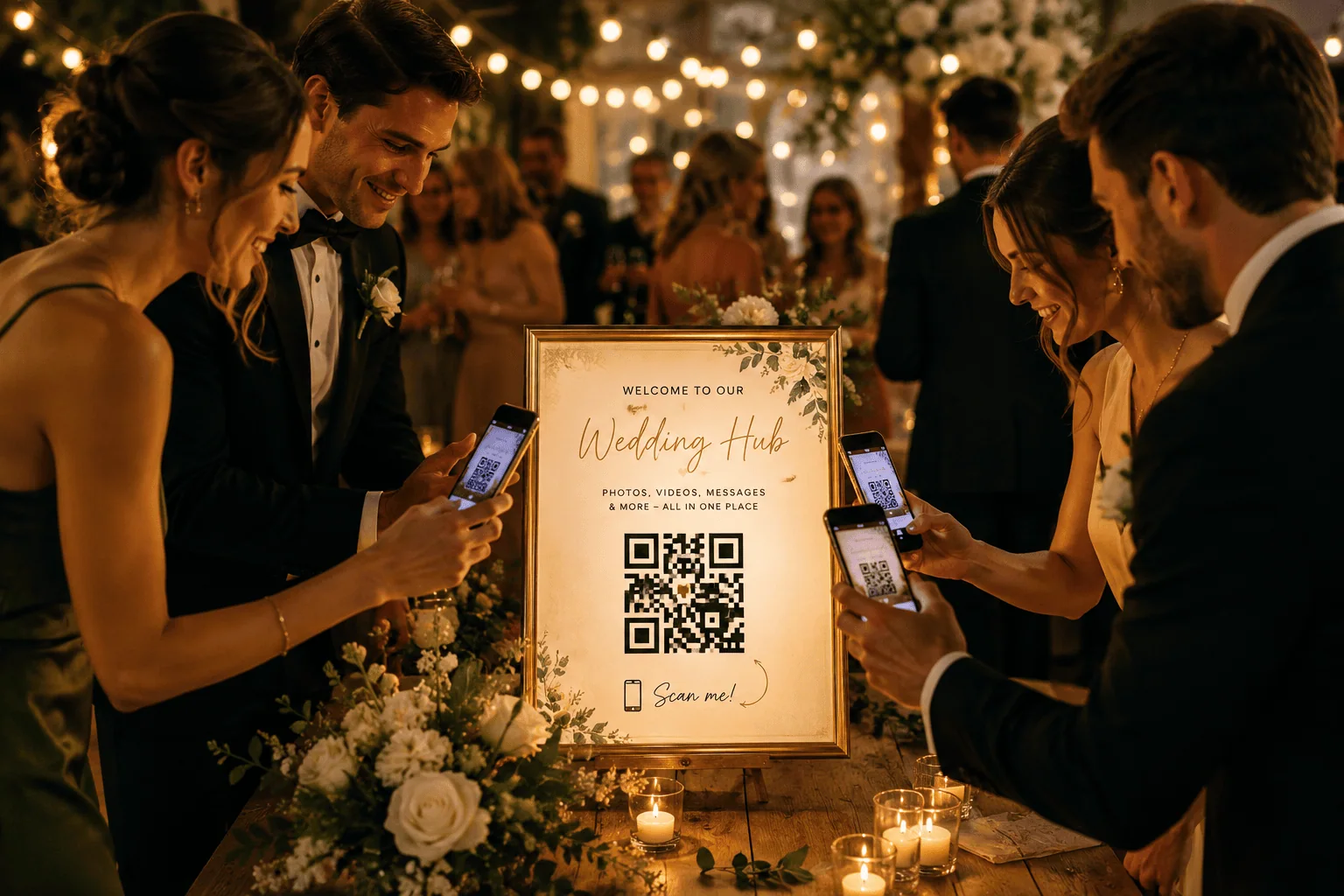
Wedding guests scan a Happlee QR sign to share photos, videos, and messages at a candlelit reception.
1. Create a QR Code Wedding Seating Chart
A QR code seating chart is one of the easiest and most practical ways to use QR codes at a wedding. Instead of crowding around a printed board, guests scan your QR code, type their name, and instantly see their table.
This works beautifully for receptions where the entrance can become congested. It also saves you from the drama of reprinting a giant seating chart after one guest cancels, one cousin brings a surprise plus-one, and Aunt Margaret suddenly needs to sit on the other side of the room.
If seating is your main goal, SeatScan is a fantastic free option. If you want seating to sit inside a larger wedding experience, Happlee QR includes seating alongside guest photos, RSVPs, guestbook messages, audio recordings, games, discoveries, and more.
2. Use QR Codes for Wedding RSVPs
Wedding RSVP cards are lovely, but they can also be slow, expensive, and a little unreliable. A QR code RSVP makes it easy for guests to respond from their phone as soon as they receive the invitation.
You can place the QR code on printed invitations, save-the-date cards, emails, or wedding websites. Guests scan, respond, and you receive the information digitally. Happlee QR can be used as part of a broader wedding hub, meaning RSVP collection can sit alongside the guest-facing wedding-day features.
3. Add QR Codes to Save-the-Dates
A save-the-date is the perfect place to introduce your wedding QR code early. It can link guests to your event page, RSVP information, travel details, accommodation suggestions, or a cute teaser about what is coming.
This also helps train guests to recognise your QR code before the wedding day. By the time they arrive at the venue, scanning it feels natural.
4. Create a Digital Wedding Information Hub
Guests often ask the same questions: Where do we park? What time does the reception start? Is there a dress code? Are children invited? Where is the gift table? A QR code wedding information hub puts all of those answers in one place.
This is especially useful for destination weddings, large family weddings, or venues with multiple ceremony and reception areas. A platform like Happlee QR can turn that information hub into something guests use all day, rather than just a static FAQ page.
5. Collect Wedding Guest Photos
Guest photo collection is one of the most popular wedding QR code ideas, and for good reason. Your guests will capture dozens, sometimes hundreds, of candid moments that your photographer may never see. Those photos are often hilarious, emotional, chaotic, and completely priceless.
Happlee QR takes this further because photo uploads can connect with games, scavenger hunts, discoveries, and leaderboards. Instead of simply asking guests to upload photos, you give them a reason to do it.
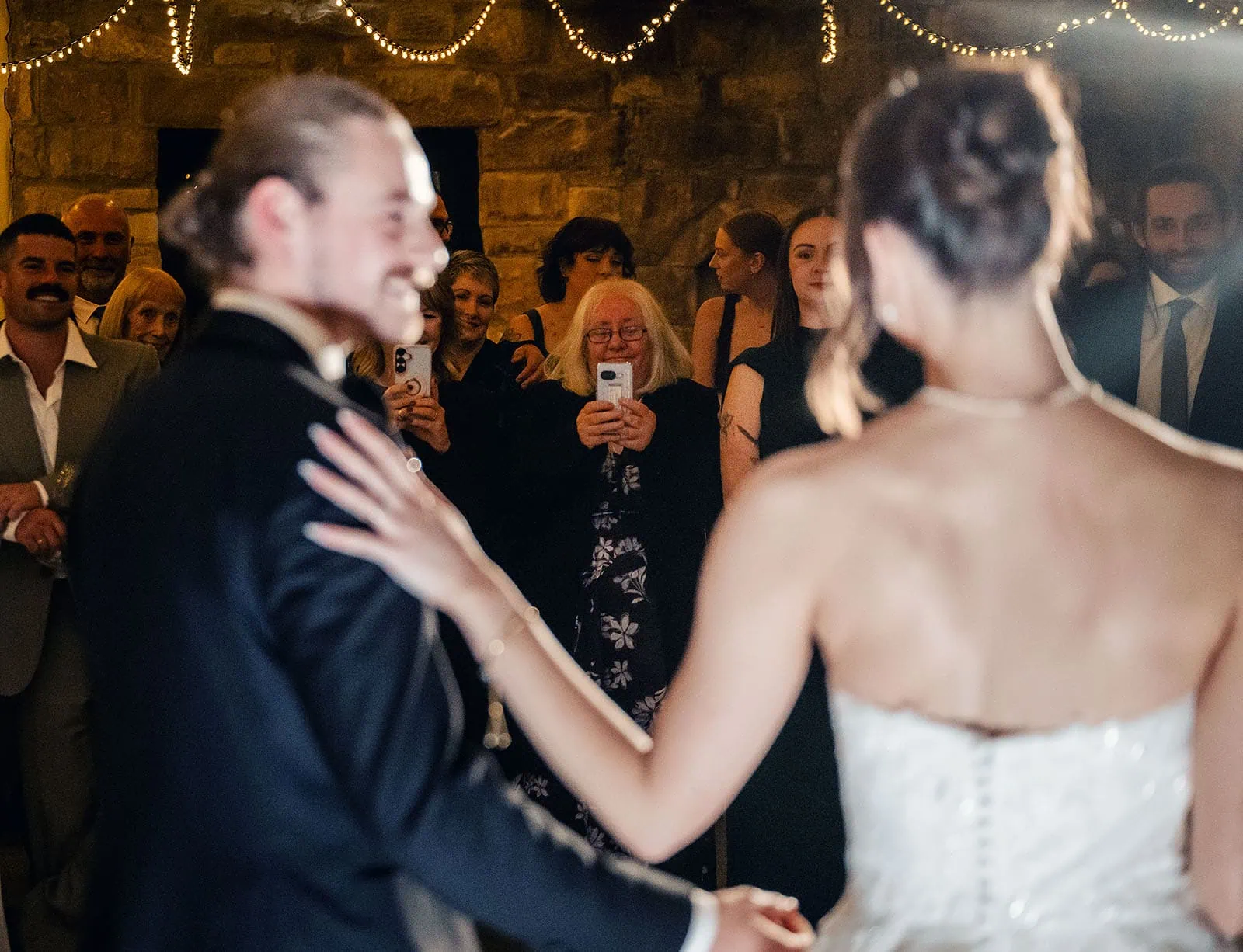
Bride and groom share their first dance at a rustic wedding reception as guests smile and record the moment.
6. Collect Guest Videos
Photos are wonderful, but guest videos bring a completely different energy. A clip of the dance floor, a champagne tower wobbling dangerously, a cousin doing something ridiculous during the bouquet toss, or a grandparent laughing during speeches can become one of your favourite memories.
A wedding QR code can allow guests to upload both photos and videos from their camera roll. With Happlee QR, photo and video collection can sit beside your guestbook, audio guestbook, scavenger hunt, and other features so the entire experience feels connected.
7. Replace Disposable Cameras
Disposable cameras have a nostalgic charm, but they are not always practical. They can be expensive, the photo quality is unpredictable, and there is always the risk of receiving thirty photos of table centrepieces and someone’s thumb.
A wedding QR code offers a modern disposable camera alternative. Guests use the high-quality camera already in their pocket, upload instantly, and you receive everything in one digital collection. No developing costs. No lost cameras. No mystery roll of film from Table 8.
8. Create a QR Code Audio Guest Book
A QR code audio guest book lets guests record voice messages from their own mobile phones. This is a beautiful way to capture advice, laughter, congratulations, memories, and sweet little moments that written messages may not fully express.
SvenStudios also offers traditional vintage audio guest book hire in Adelaide, which is perfect for couples who love the retro phone experience. Happlee QR adds another option by allowing guests to record from their own devices. No queue. No single phone in the corner. No special hardware required.
This is especially powerful when used alongside other Happlee features. A guest might scan to find their seat, upload a photo, unlock a discovery, and then leave a voice message while they are already engaged with the platform.
9. Build a Digital Wedding Guestbook
A traditional guestbook can be beautiful, but it often gets missed. It sits on a table near the entrance, a few guests sign it early, and then everyone gets distracted by canapés, champagne, and hugging people they have not seen in years.
A digital wedding guestbook gives guests more chances to contribute. They can write a message from their seat, during cocktail hour, or later in the evening. With Happlee QR, guestbook messages can become part of the interactive experience rather than a forgotten book on a table.
10. Add Photo Messages to Your Guestbook
A photo guestbook feels more personal because it pairs words with faces. Guests can upload a selfie, a table photo, or a candid moment alongside their message.
This is particularly lovely for weddings where not everyone knows each other. Years later, you are not just reading “Congratulations, love Sarah and Tom”—you are seeing exactly what Sarah and Tom looked like at your reception, probably holding champagne and grinning like legends.
Inside guestbook
11. Create a Wedding Scavenger Hunt QR Code
Wedding scavenger hunts are not new, but QR codes make them far more interactive. Instead of handing guests a printed checklist, you can create digital tasks that encourage them to explore, take photos, find moments, and interact with the celebration.
We recently covered this in more detail in our Photo Scavenger Hunt QR Code article, where Happlee QR is positioned as a more engaging alternative to a simple printed game.
12. Replace Printable Wedding Games
Printable wedding games can be cute, but they are often a one-and-done activity. Guests complete the page, or half-complete it, or use it as a coaster, and that is usually the end of the interaction.
A QR code wedding game can update live, connect with a leaderboard, unlock discoveries, and encourage guests to keep participating. That is why we also wrote about why a printable scavenger hunt QR code is becoming obsolete. Paper gives guests a task. Happlee QR gives guests a reason to keep coming back.
13. Run a Wedding Photo Challenge
A wedding photo challenge is one of the easiest ways to get more guest photos. Give guests prompts like “best dance move,” “cutest couple selfie,” “funniest table photo,” or “someone crying happy tears.”
When connected to Happlee QR, these challenges can help feed the photo gallery, encourage guest participation, and create a more complete collection of memories from the day.
14. Use QR Codes for Wedding Discoveries
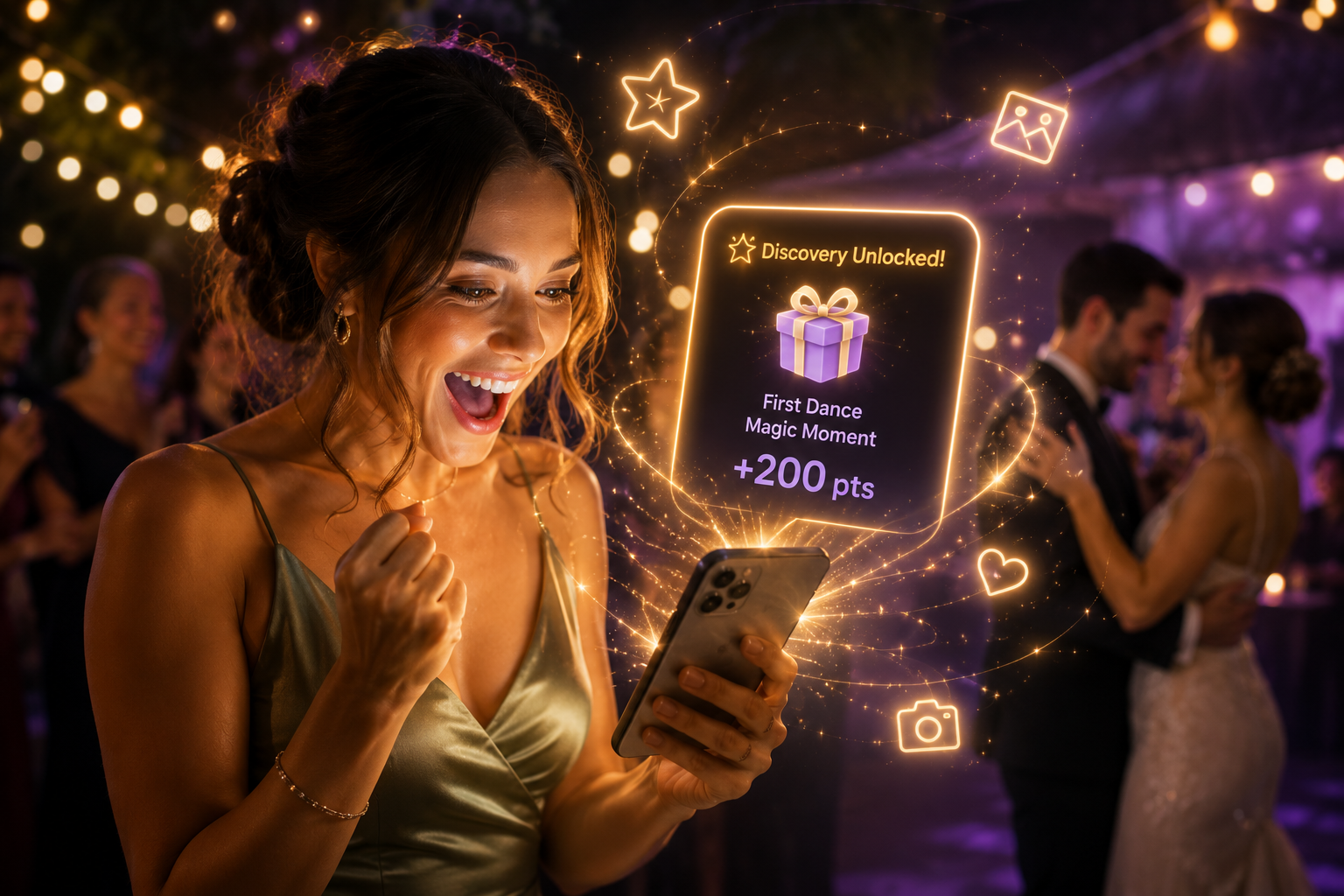
Wedding Discoveries are one of the most exciting ways to use QR codes because they turn your wedding into an interactive treasure hunt. Guests can unlock hidden memories, photos, videos, facts, jokes, or surprises by completing activities throughout the celebration.
One delightful Wedding Discovery idea is to hide childhood photos of the couple behind interactive tasks. Guests might unlock a tiny Steven-with-a-bowl-cut style masterpiece after uploading a table selfie or answering trivia correctly.
These personal surprises make the QR code feel alive. Guests are not just using a tool; they are uncovering parts of your story.
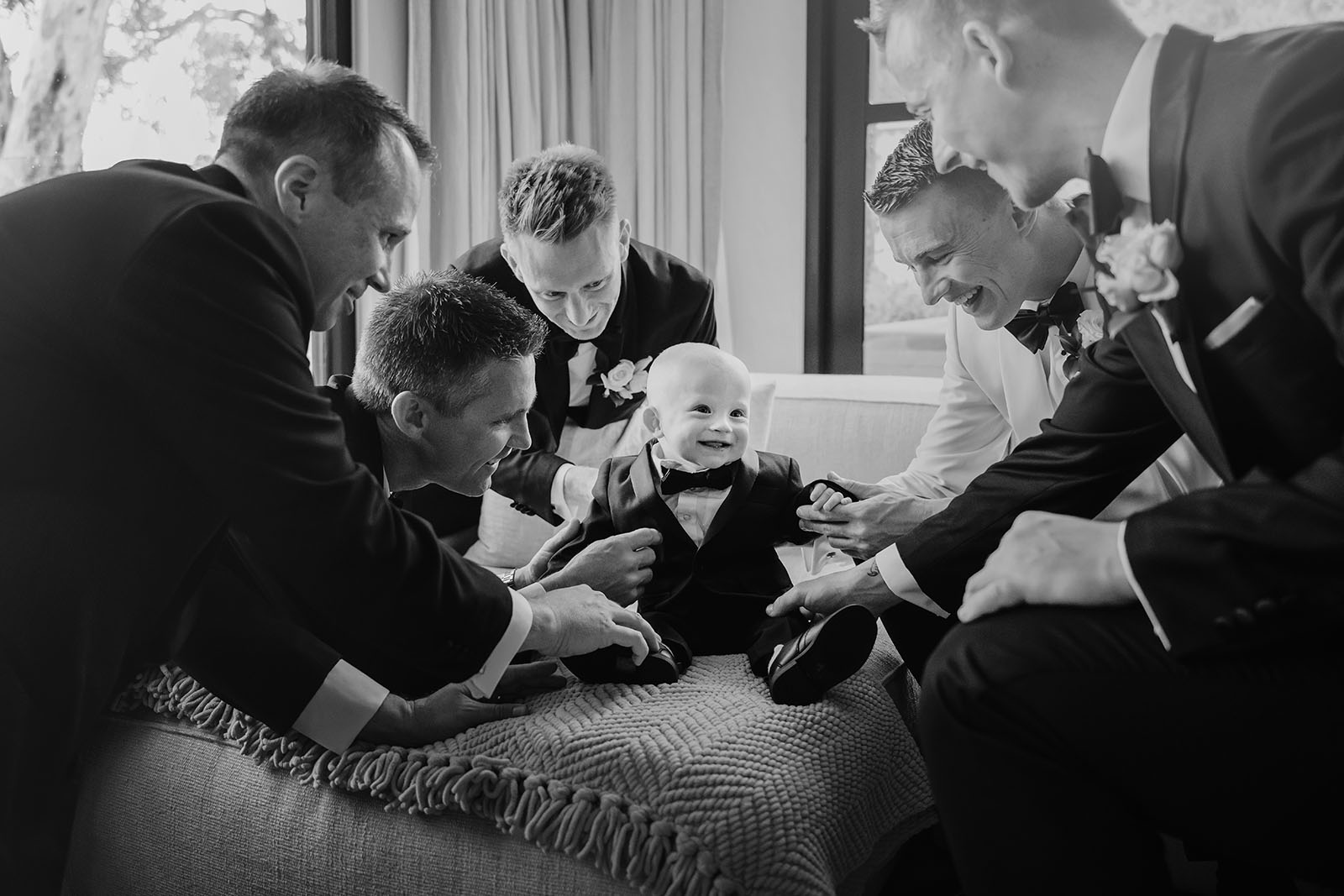
A joyful moment as well-dressed men gather around and adore a baby in a tuxedo, capturing the essence of family and celebration.
16. Share Your Love Story
Not every guest knows the full story of how you met, how the proposal happened, or why certain details of the day are meaningful. A QR code can unlock your love story in bite-sized sections throughout the wedding.
This works beautifully for guests from different parts of your lives. School friends, workmates, cousins, and grandparents all get to feel a little more connected to the story being celebrated.
17. Create Couple Trivia
Couple trivia is a classic wedding activity, and QR codes make it wonderfully simple. Guests can answer questions like “Who said I love you first?” or “Who is more likely to cry during the ceremony?” directly from their phones.
When trivia contributes to a leaderboard, it adds friendly competition without needing microphones, paper forms, or someone chasing guests with pens.
18. Run Live Wedding Polls
Live polls are brilliant for keeping guests involved. You could ask guests to vote on the next song, predict who will cry during speeches, choose a honeymoon activity, or decide which table has the best energy.
Polls work because they are quick. Guests do not need to think too hard. They scan, tap, laugh, and move on. That small interaction can make your QR code feel much more engaging.
19. Build a Wedding Leaderboard
A leaderboard turns participation into friendly competition. Guests can earn points for completing scavenger hunt tasks, uploading photos, leaving messages, answering trivia, unlocking discoveries, or joining in with other activities.
This is where Happlee QR feels very different from a normal wedding QR code. Instead of being a static link, it becomes part of the entertainment. The more guests participate, the more points they earn.
20. Encourage Table-vs-Table Competition
Weddings are full of natural teams. Family tables, friend groups, workmates, school mates, bridal party members, and that one table that decides it is the main character of the reception.
A QR code leaderboard can encourage friendly competition between tables. You can prompt guests to upload group photos, complete challenges, or answer trivia as a team. It adds energy without needing to interrupt the flow of the reception.
Woman unlocks an augmented reality wedding reward on her smartphone during a glowing reception celebration.
21. Create a Digital Wishing Well
A wishing well QR code allows guests to contribute digitally instead of bringing cards or envelopes. This can be particularly useful for modern couples who prefer honeymoon funds, house deposits, travel experiences, or flexible contributions.
With Happlee QR, the wishing well can sit alongside the rest of the wedding experience. Guests do not need to scan a separate code for every feature. One QR code can handle the practical and the playful.
22. Share Gift Registry Information
If you are using a gift registry, a QR code can make it easy for guests to find the correct link. This avoids confusion, especially if you are using multiple gift options or have a preference for experiences over physical items.
Place the QR code on your invitation, wedding website, or a small card near the gift table. Keep the wording friendly and gentle, because nobody wants a wedding that feels like a checkout screen.
23. Create a Honeymoon Fund QR Code
A honeymoon fund QR code is a simple way to invite contributions toward travel, accommodation, activities, or special experiences. You can make it more personal by explaining what the fund supports, such as a dinner in Santorini, a helicopter ride in Queenstown, or a lazy week somewhere warm.
When paired with Happlee QR, this can feel less transactional because it sits within the broader celebration experience instead of being a standalone payment request.
24. Share Your Wedding Timeline
Guests love knowing what is happening next. A QR code timeline can outline ceremony time, cocktail hour, reception entrance, speeches, dinner, cake cutting, first dance, and sparkler exit.
This is especially helpful for weddings with multiple locations or non-traditional formats. If something changes, digital timelines can be updated without reprinting anything.
25. Share Venue Maps and Directions
Some venues are easy. Others are charming little labyrinths with ceremony lawns, reception rooms, barns, courtyards, secret bathrooms, and car parks that feel like side quests.
A QR code can link guests to maps, directions, parking instructions, accommodation shuttles, or venue-specific notes. For Adelaide Hills, Barossa, McLaren Vale, and country weddings, this can be incredibly useful.
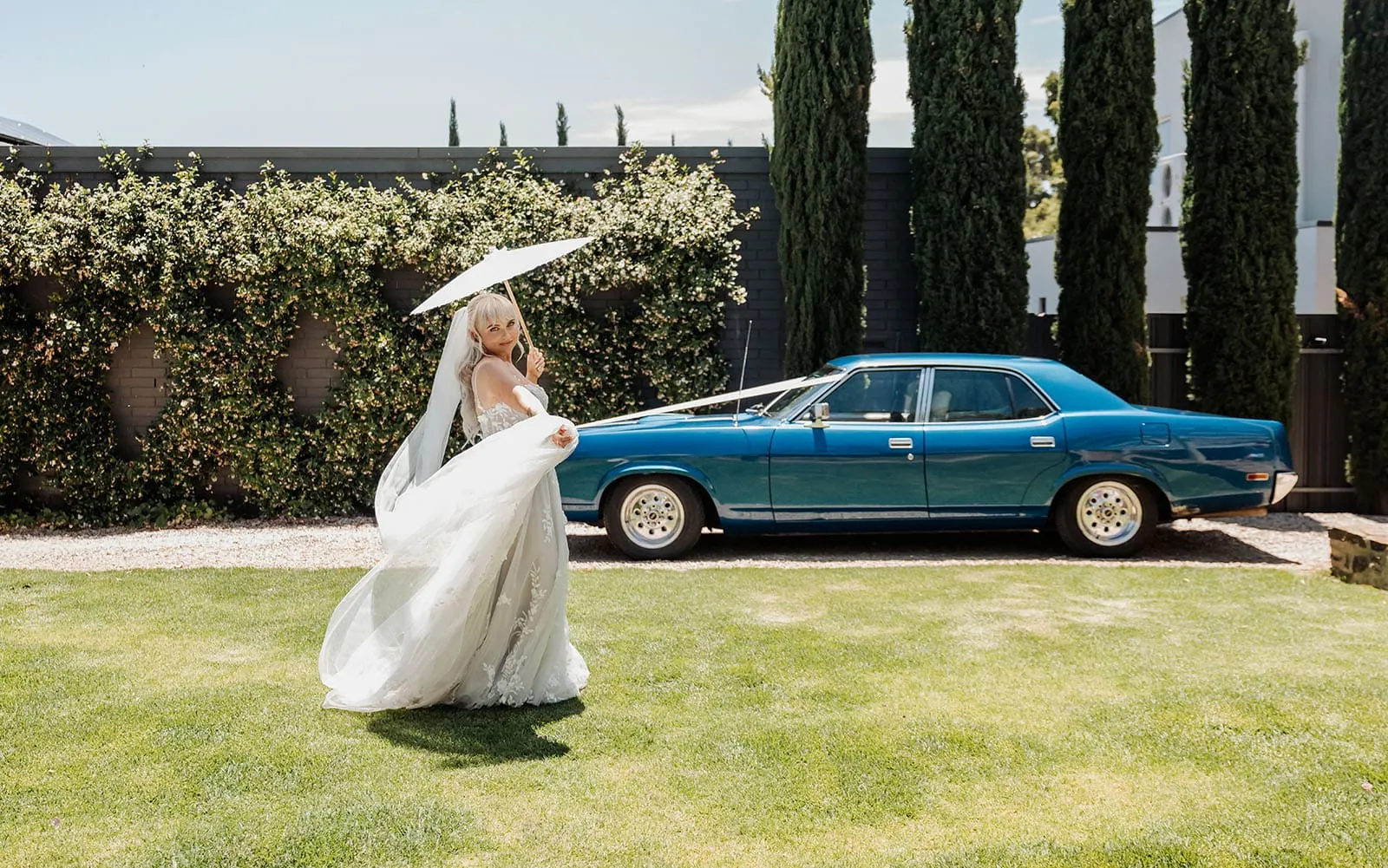
Bride in lace gown and veil poses joyfully with parasol by vintage car in a vibrant garden.
26. Share Parking Information
Parking questions are not glamorous, but they matter. A simple QR code can help guests understand where to park, whether they need to pay, how far the walk is, and whether elderly guests should be dropped closer to the entrance.
Small practical details like this make the day feel smoother for everyone.
27. Link to Transport or Shuttle Details
If you are organising a bus, shuttle, rideshare area, or transport between ceremony and reception, a QR code can keep those details accessible.
This is perfect for winery weddings, destination weddings, or venues where phone reception and timing can be unpredictable. Guests can check pickup times without hunting through old emails.
28. Share Accommodation Suggestions
For destination weddings or weddings with many interstate guests, a QR code can link to accommodation options, group booking codes, nearby hotels, or recommended areas to stay.
This is useful before the wedding, but it can also help guests during the weekend if they need to find their way back after the celebration.
29. Share the Menu
A digital wedding menu is a neat way to reduce printed stationery. Guests can scan to see courses, dietary notes, drinks, dessert options, or late-night snacks.
This is especially useful if your wedding includes multiple food stations, grazing tables, cocktail-style service, or cultural dishes guests may not recognise.
30. Share Drinks Information
A QR code drinks menu can list signature cocktails, wine selections, mocktails, beer options, and bar rules. You could even include the story behind your signature drinks if they mean something to you.
Small touches like this make the reception feel more personal and polished.
31. Introduce the Bridal Party
Guests often know one side of the couple better than the other. A QR code can introduce your bridal party with photos, names, roles, and funny little bios.
This is a lovely way to help guests connect names with faces, especially during speeches or when the bridal party enters the reception.
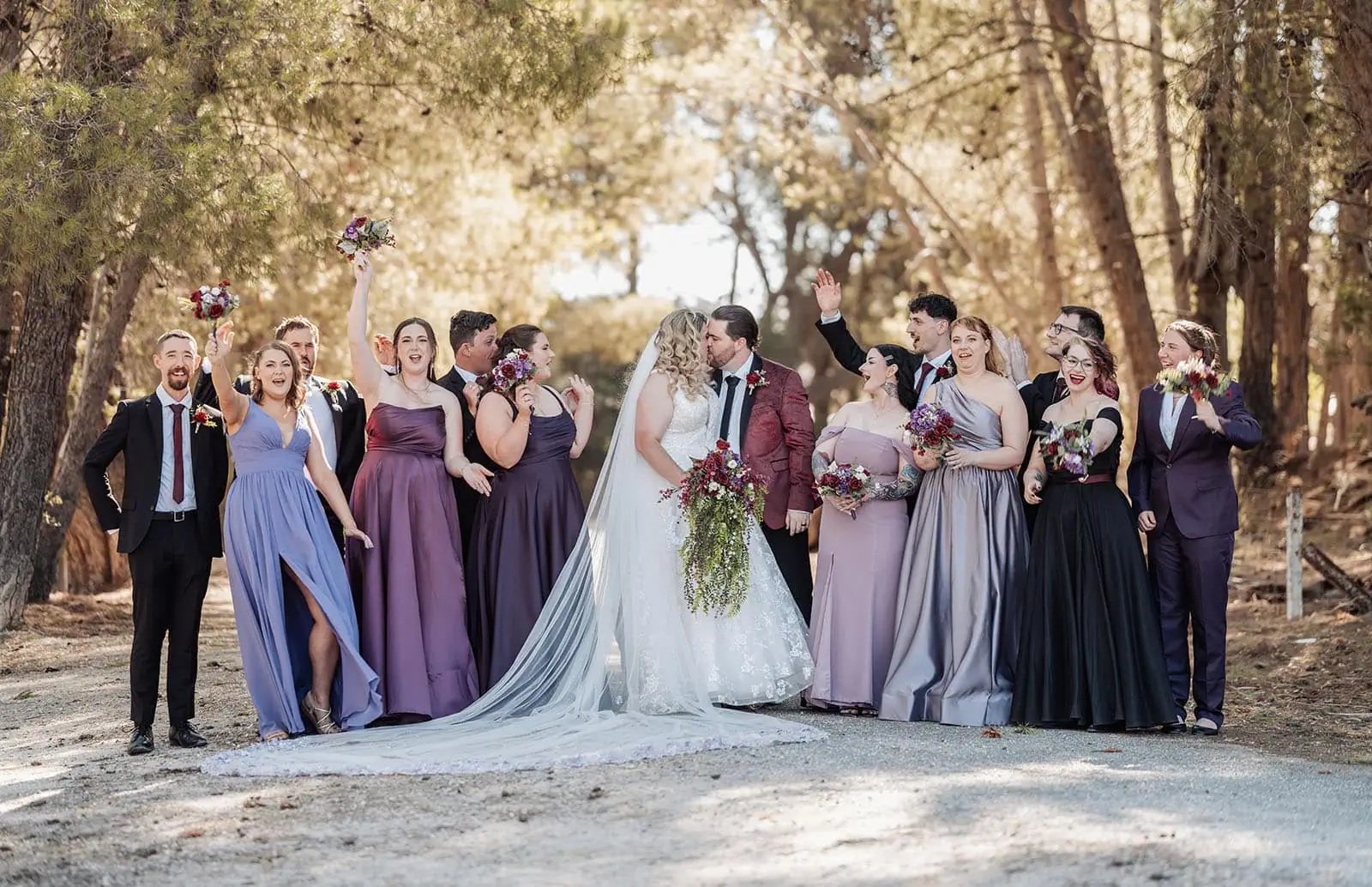
Bride and groom share a kiss under sunlit trees, surrounded by a jubilant bridal party in vibrant, elegant attire.
32. Share Family Introductions
Weddings bring together families who may not know each other well. A QR code can include a sweet guide to parents, grandparents, siblings, and important family members.
This is also a beautiful way to honour loved ones who have passed, especially when paired with photos, stories, or audio messages.
33. Honour Absent Loved Ones
A QR code can link to a memorial page with photos, stories, candles, poems, or recorded memories. This allows couples to honour absent loved ones in a gentle, private way without making the reception feel heavy.
Guests who want to connect with that tribute can do so quietly from their own phone.
34. Share Ceremony Readings
If your ceremony includes readings, vows, cultural traditions, or religious elements, a QR code can provide context. This helps guests follow along and understand the meaning behind what they are witnessing.
This can be particularly helpful for multicultural weddings, church ceremonies, or personalised symbolic rituals.
35. Create a Digital Order of Service
Printed ceremony programs are lovely, but many are left behind on chairs. A QR code order of service can include the ceremony structure, bridal party, readings, music, and acknowledgements.
It is also easy to update if something changes close to the day.
36. Share Song Requests
A wedding QR code can collect song requests before or during the reception. Guests can suggest songs for the dance floor, cocktail hour, or late-night party portion.
This gives guests a fun way to contribute, though the couple may wish to reserve veto power for anything too chaotic. Some songs should remain safely in the group chat.
37. Create a Dance Floor Challenge
Want more energy on the dance floor? Use your QR code to create dance floor challenges. Guests might earn points for uploading a dance photo, joining a group dance, or capturing the best move of the night.
This is where Happlee QR’s engagement tools shine. The QR code is not just collecting memories; it is helping create them.
38. Share a Live Slideshow
A QR code can link to a live gallery or slideshow of guest uploads. This creates instant feedback. Guests see their photos appear, feel involved, and are more likely to keep contributing.
Photo sharing becomes more successful when guests can see the result during the event. Happlee QR can help make guest uploads feel like part of the celebration rather than a chore.
39. Create a Wedding Hashtag Alternative
Wedding hashtags were fun, but social media platforms are messy. Guests forget hashtags, use the wrong one, post privately, or upload everything three weeks later when nobody can find it.
A QR code photo collection gallery is a cleaner alternative. Everything goes into one private place, and guests do not need to post publicly.
40. Share Professional Sneak Peeks
If your photographer provides sneak peeks quickly, a QR code could link guests to highlights after the wedding. This is a lovely post-wedding use of the same QR code, especially if it remains active on thank-you cards or follow-up emails.
As wedding photographers, we know guests love reliving the day while the excitement is still fresh.
41. Use QR Codes on Table Numbers
Table numbers are prime QR code real estate. Guests naturally look at them, photograph them, and sit near them for most of the reception.
You can use the QR code on table numbers to link to Happlee QR, where guests can access the guestbook, photo uploads, games, trivia, polls, audio messages, and event details.
42. Add QR Codes to Welcome Signs
A welcome sign QR code is perfect because every guest passes it. This is the ideal location for your main wedding QR hub.
Keep the sign wording simple. Something like “Scan to find your seat, upload photos, leave messages and join the fun” tells guests exactly why they should care.
43. Add QR Codes to Place Cards
Place cards can include small QR codes that link to your wedding hub, menu, personal message, or guest-specific experience.
This can be especially sweet if you want guests to find a thank-you note or table-specific challenge.
44. Add QR Codes to Wedding Favours
Wedding favours often get left behind, but a QR code can make them more meaningful. Link to a thank-you message, a playlist, a gallery, or a post-wedding photo collection.
If your favour is edible, useful, or sentimental, the QR code can add another layer of personality.
45. Create a Wedding Playlist
A QR code can link guests to your wedding playlist after the event. This is a simple but lovely way to let people relive the celebration.
You could include ceremony songs, reception entrance music, first dance tracks, and dance floor favourites.
46. Share Thank-You Messages
After the wedding, your QR code can become a thank-you page. Guests scan from thank-you cards or follow-up emails and see a personal message from the couple.
This can also link to galleries, highlights, or instructions for downloading photos.
47. Collect Post-Wedding Advice
Some guests think of the perfect message after the wedding. A QR code can remain active for a little while, allowing guests to add advice, photos, or audio messages after the event.
This is particularly useful for guests who were too busy dancing to sign the guestbook on the night.
48. Link to Wedding Vendors
If guests loved your florist, celebrant, photographer, cake maker, venue, or DJ, a QR code can link to a vendor credits page. This is helpful for future couples and a nice way to acknowledge the team behind the day.
For couples using SvenStudios, this can sit naturally alongside your photography, videography, photobooth, SelfBooth, SeatScan, and Happlee QR tools.
49. Create a Private Wedding Archive
After the wedding, your QR code can link to a private archive of photos, videos, messages, audio recordings, and favourite memories.
This turns your QR code from a wedding-day tool into a keepsake. The experience does not have to end when the last song plays.
50. Use One QR Code for Everything
This is the biggest idea of all. Instead of creating separate QR codes for seating, photos, RSVPs, guestbook messages, audio messages, games, polls, trivia, and wishing well details, use one QR code that brings everything together.
Guests do not want to scan six different codes. They want one easy place to go. Couples do not want to manage a patchwork of different platforms. They want one wedding hub that feels beautiful, useful, and fun.
One QR code. Many reasons to scan. More memories collected. More guests involved.
Where Should You Put Wedding QR Codes?
The best QR code placement depends on what you want guests to do. For seating, place it near the reception entrance. For photo uploads and guestbook messages, place it on table numbers, menus, bar signs, and welcome signage. For RSVPs, place it on invitations and save-the-date cards. For post-wedding galleries, place it on thank-you cards.
For Happlee QR, I recommend treating your QR code as a recurring visual element throughout the wedding. Guests should see it early, understand what it does, and then keep noticing it in places where they naturally pause.
Welcome sign
Seating chart area
Table numbers
Menus
Bar signage
Guestbook table
Wishing well table
Photo booth area
Wedding programs
Thank-you cards
The key is to make the instruction clear. “Scan me” is not enough. Tell guests what they get when they scan.
What Should Your Wedding QR Code Say?
The wording around your QR code matters. Guests are more likely to scan when the benefit is obvious.
Instead of:
Scan here
Try:
Scan to find your seat
Scan to upload your wedding photos
Scan to leave us a voice message
Scan to play, upload, vote and win points
Scan to join our wedding QR experience
Scan to unlock wedding discoveries
With Happlee QR, the best wording is usually broad but exciting:
Scan to find your seat, upload photos, leave messages, play games and unlock surprises.
That one sentence gives guests multiple reasons to care.
Happlee QR wedding sign on an elegant table with flowers and candles for guest photos and messages.
Why Happlee QR Is Different from a Normal Wedding QR Code
A normal wedding QR code usually does one thing. It links to a website, opens a map, collects photos, or shows a seating chart. That can be useful, but it is not always engaging.
Happlee QR is different because it combines practical wedding tools with interactive guest experiences. It can help guests find their seat, RSVP, upload photos, record audio messages, write in the guestbook, join live polls, answer trivia, complete scavenger hunt tasks, unlock discoveries, view a leaderboard, and contribute to a wishing well.
This matters because guest participation depends on momentum. If a QR code only does one small thing, guests might scan once and move on. If it becomes the central hub of the wedding, guests keep coming back throughout the celebration.
That is the difference between a QR code as a shortcut and a QR code as an experience.
How Happlee QR Supports Free and Premium Wedding Features
Not every couple needs every feature. That is why Happlee QR is designed to be flexible. Couples can use free features like seating charts and RSVP collection, then add premium interactive tools such as photo and video collection, audio guestbook recordings, discoveries, games, leaderboards, and wishing well options depending on what suits the event.
This is important for SEO, but also for real couples planning real weddings. Some couples simply need a free QR seating chart. Others want a full interactive guest experience. Happlee QR can grow with the celebration.
QR Code Wedding Ideas for Adelaide Couples
As an Adelaide wedding photographer, I have seen how quickly small wedding-day details can either smooth out the guest experience or create unnecessary confusion. QR codes are especially useful for South Australian weddings because so many celebrations happen across wineries, gardens, country venues, private properties, beachside spaces, and Adelaide Hills locations where guests are moving between multiple areas.
A QR code can help guests understand where they are going, what is happening next, and how they can be part of the celebration. At a winery wedding, it might guide guests from ceremony lawn to cellar door reception. At a private property wedding, it might share parking and shuttle details. At a city reception, it might help guests find their table quickly without crowding the entrance.
For couples who already love the relaxed, candid, guest-focused approach that SvenStudios is known for, Happlee QR fits beautifully. It encourages guests to capture real moments, share their perspective, and interact with the day without needing to download an app or learn anything complicated.
Are Wedding QR Codes Tacky?
Not when they are designed well and used thoughtfully. A QR code does not need to look like a random tech sticker slapped onto elegant stationery. It can be part of your signage, table design, welcome display, or guest experience.
The trick is to make it useful and beautiful. Use clear wording, attractive signage, and a reason to scan. A QR code that only says “scan me” can feel a bit flat. A QR code that says “Find your seat, upload photos, leave us a message and unlock surprises” feels like an invitation.
Wedding guests use Happlee QR to share photos on smartphones under warm string lights.
Do Wedding Guests Actually Scan QR Codes?
Yes, but only when the reason is obvious. Guests will scan a QR code if it helps them find their table, upload photos easily, vote in a poll, join a game, or leave a message without fuss.
The biggest mistake couples make is assuming the QR code itself is interesting. It is not. The experience behind it is what matters.
Happlee QR was built around that exact idea. Your QR code is not the problem. Your guests simply need a reason to use it.
How to Get More Guests to Use Your Wedding QR Code
To get more scans, make the QR code visible, useful, and rewarding. Put it where guests naturally stop. Explain what happens when they scan. Mention it during speeches or MC announcements. Add it to tables. Include it near the bar. Make it part of games, photos, discoveries, and the guestbook.
Most importantly, connect multiple features behind the same code. If one guest scans to find their seat and notices they can also upload photos, answer trivia, and leave a voice message, they are much more likely to engage.
That is why Happlee QR is so powerful. It turns one small scan into multiple meaningful interactions.
Final Thoughts: One QR Code Can Do So Much More
Wedding QR codes are no longer just a convenience. Used creatively, they can help shape the entire guest experience.
They can reduce queues, collect memories, replace paper, simplify RSVPs, modernise guestbooks, unlock games, support wishing wells, gather audio messages, display seating plans, and bring guests into the story of your day.
The best wedding QR code ideas are not about technology for the sake of technology. They are about connection. They help guests feel informed, involved, entertained, and remembered.
That is what makes Happlee QR such an exciting option for modern weddings. It takes the humble QR code and turns it into a complete wedding experience. Seating, RSVPs, guest photos, audio messages, digital guestbook entries, scavenger hunts, discoveries, polls, trivia, leaderboards, wishing wells, and more can all live behind one simple scan.
If you are planning a wedding and wondering how to make your QR code genuinely useful, start with this question:
What reason are we giving guests to scan?
Once you answer that, the possibilities open up beautifully.
Ready to create a wedding QR code that does more than sit on a sign? Explore Happlee QR and see how one code can power a more interactive, memorable and guest-friendly wedding celebration.
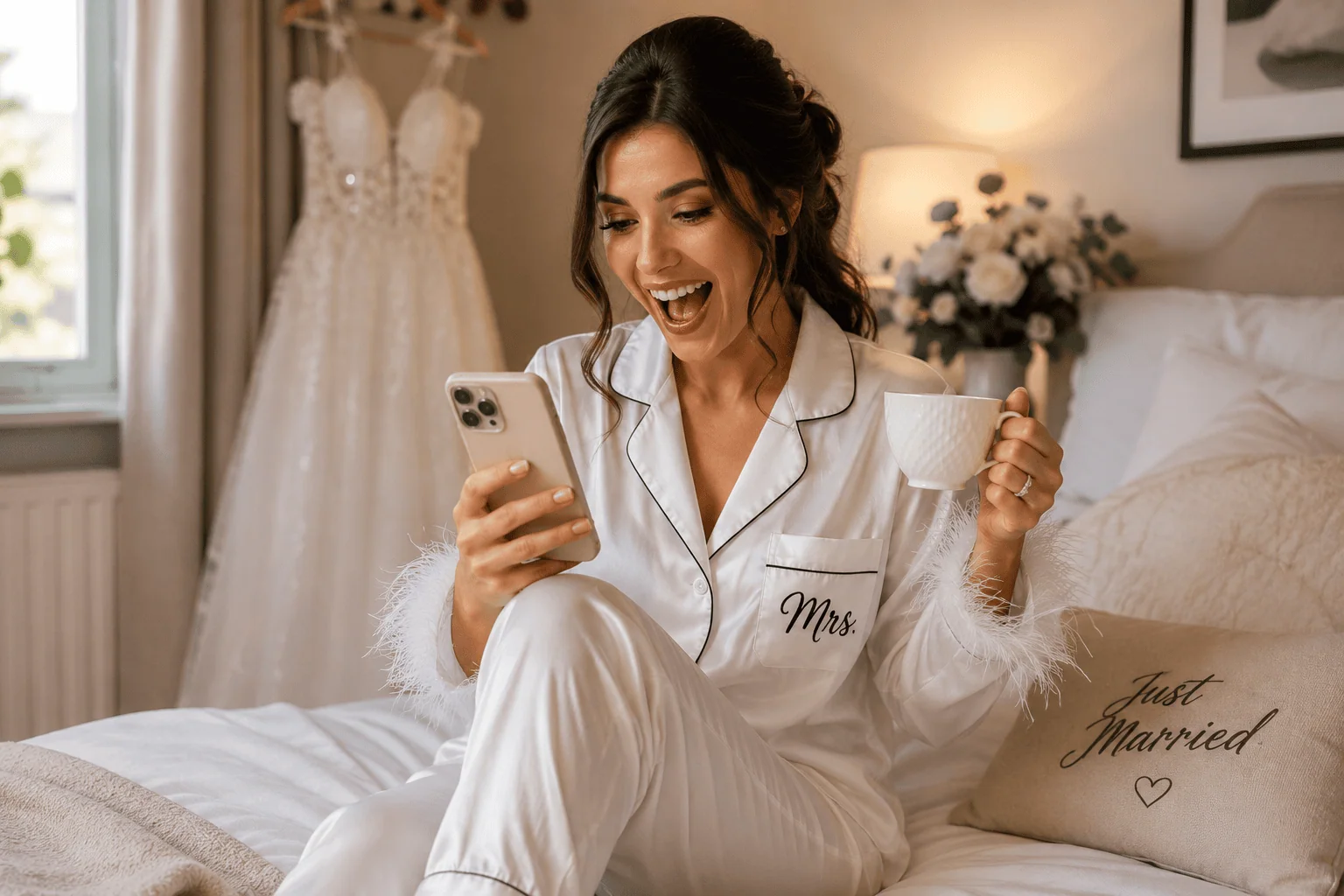
Bride in Mrs. satin pajamas smiles while checking Happlee QR on her wedding morning.
FAQ: Creative Ways to Use QR Codes at Your Wedding
What is the best way to use a QR code at a wedding?
The best way to use a QR code at a wedding is to connect it to something guests genuinely need or want to do. Seating charts, photo uploads, RSVPs, guestbook messages, audio recordings, games, polls and wishing wells all work well because they give guests a clear reason to scan.
Can one wedding QR code do multiple things?
Yes. With a platform like Happlee QR, one wedding QR code can connect guests to multiple features including seating charts, RSVPs, guest photo uploads, video collection, digital guestbook messages, audio guestbook recordings, discoveries, games, leaderboards and wishing well options.
Do guests need to download an app to use a wedding QR code?
No. Happlee QR is designed to work directly from a guest’s mobile browser. Guests simply scan the QR code with their phone camera and access the experience without needing an app or account.
Where should I place QR codes at my wedding?
Great places include welcome signs, table numbers, menus, the seating chart area, bar signs, guestbook tables, wishing well tables, ceremony programs, place cards and thank-you cards. The more visible and useful the QR code is, the more likely guests are to scan it.
Can QR codes replace printed wedding seating charts?
Yes. A QR code seating chart allows guests to scan, search their name and instantly find their table. This can reduce crowding, make last-minute changes easier and remove the need for large printed seating charts.
Can guests upload wedding photos with a QR code?
Yes. QR code photo sharing allows guests to upload photos and videos from their phone to a shared gallery. This helps couples collect candid memories that might otherwise stay hidden on guests’ devices.
What is a QR code audio guest book?
A QR code audio guest book lets guests record voice messages from their own mobile phones. They scan the code, open the audio guestbook, record a message and submit it digitally.
Are QR codes good for wedding games?
QR codes are excellent for wedding games because they can make activities interactive. Guests can complete scavenger hunt tasks, answer trivia, vote in polls, unlock discoveries and earn points on a leaderboard.
Is Happlee QR only for weddings?
Happlee QR is designed with weddings in mind, but many of its features can suit other events where guest interaction, seating, photo collection, messages, polls or digital memories are useful.
Why use Happlee QR instead of separate QR code tools?
Using separate tools can create confusion because guests may need to scan different QR codes for different tasks. Happlee QR brings multiple wedding features into one guest-friendly hub, making the experience simpler and more engaging.
A printable scavenger hunt QR code sounds clever at first. You create a checklist, turn it into a PDF, generate a QR code, print a cute sign, and guests scan it during your wedding or event. Simple, tidy, and modern enough to feel like you have moved beyond paper handouts.
Except the moment guests scan that code, most printable scavenger hunts reveal their biggest problem: they are still just a piece of paper pretending to be digital. Whether the list is physically printed or opened on a phone, the experience is usually the same. Guests read a checklist, maybe snap a few photos, and then those photos disappear into personal camera rolls where the couple or organiser may never see them.
That is why platforms like Happlee QR are changing the way event scavenger hunts work. Instead of using a QR code to open a static printable list, Happlee QR turns that scan into an interactive guest experience with uploads, live scoring, discovery rewards, leaderboards, galleries, games, and more.
If your goal is to create real engagement, collect more guest photos, and give people a reason to keep coming back to your event QR code, a printable scavenger hunt QR code is no longer the best tool for the job.
What Is a Printable Scavenger Hunt QR Code?
A printable scavenger hunt QR code is usually a QR code that links to a gallery where images are uploaded based on the list of prompts found on the printed list.
For weddings, the prompts might include things like “take a photo of the first dance,” “find someone wearing blue,” “snap a selfie with the bride and groom,” or “capture the funniest dance move.” For corporate events, it might include finding a sponsor booth, meeting someone from another team, or photographing a branded display.
On the surface, this feels practical. It is easy to distribute using a single sign. The trouble is that the QR code is only being used as a delivery method. It does not actually make the scavenger hunt interactive.
The guests still have to manage everything themselves. They read the list, take photos, keep track of progress, and maybe show someone their phone later if there is a prize. That is fine for a low-key kids’ party or a casual activity, but it quickly falls short at weddings, fundraisers, conferences, and events where you want participation to feel exciting.
Bride and groom share their first dance at a rustic wedding reception as guests smile and record the moment.
The Problem With Printable Scavenger Hunts
Printable scavenger hunts have one big limitation: they do not create momentum. Once a guest has read the list, the game relies entirely on their memory and motivation. Some people will play along enthusiastically, but many will forget about it after the first drink, the first dance, or the first conversation with someone they have not seen in years.
Printed lists also create a messy end result. Guests might take fantastic photos, but those images remain scattered across dozens or hundreds of phones. Unless every person remembers to send their photos afterwards, the couple or event organiser may never receive the best moments.
Judging can also become awkward. Who completed the most challenges? Who submitted the best photo? Did someone actually take the image during the event? Was the same photo used for multiple prompts? With a printable approach, someone has to manually collect, compare, judge, and organise everything.
For weddings in particular, this is not ideal. The couple should not have to spend their reception chasing guests for proof of completed challenges. They should be enjoying the night while the experience runs itself.
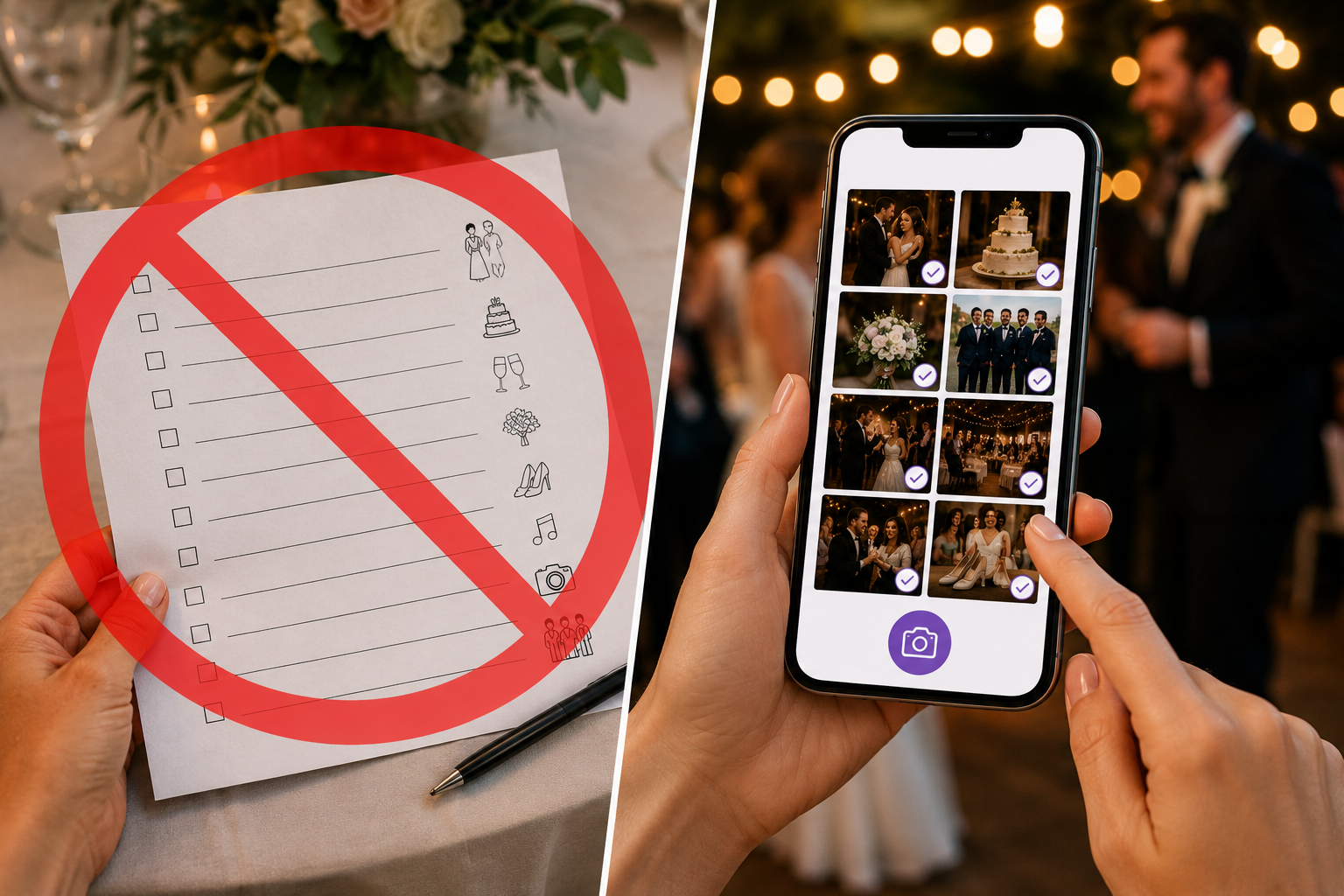
A wedding photo app replaces a paper checklist for easy digital wedding planning.
A QR Code Should Do More Than Open an upload portal
The real issue is not the scavenger hunt idea. Photo scavenger hunts are brilliant. They encourage guests to mingle, notice special details, capture candid memories, and participate in the celebration instead of sitting passively at a table.
The issue is using a QR code in the most basic way possible. A QR code can do far more than open a link. It can take guests to a live event hub where every interaction is tracked, rewarded, and collected automatically.
That is where Happlee QR offers a much stronger alternative. Happlee QR is not just a link to a static list. It is a guest engagement platform built around the same QR code guests are already scanning for event information.
That one QR code can connect guests to a seating chart, RSVP collection, photo uploads, video uploads, digital guestbook, audio guestbook, live slideshow, wishing well, trivia, polls, discovery rewards, and interactive scavenger hunt challenges. Instead of being a one-time scan, the QR code becomes a reason for guests to keep interacting throughout the event.
Why Interactive Scavenger Hunts Work Better
An interactive scavenger hunt gives guests immediate feedback. When someone completes a challenge, they are not simply ticking a mental box. They can upload the photo, earn points, unlock a reward, appear on a leaderboard, or contribute to a shared event gallery.
That instant response is powerful. It turns the activity from a passive checklist into a game. Guests feel like something happened because they participated. Their action is acknowledged, their photo is saved, and their progress counts.
This is especially important at weddings, where guests are already surrounded by emotional, funny, beautiful, and unexpected moments. A good scavenger hunt does not interrupt the event. It encourages guests to pay closer attention to it.
Instead of asking guests to remember to send photos later, Happlee QR collects them while the energy is still high. The first dance, the cake cutting, the big group hugs, the flower girl asleep under a table, the uncle who has suddenly become the dance floor champion—all of those moments can be uploaded as they happen.
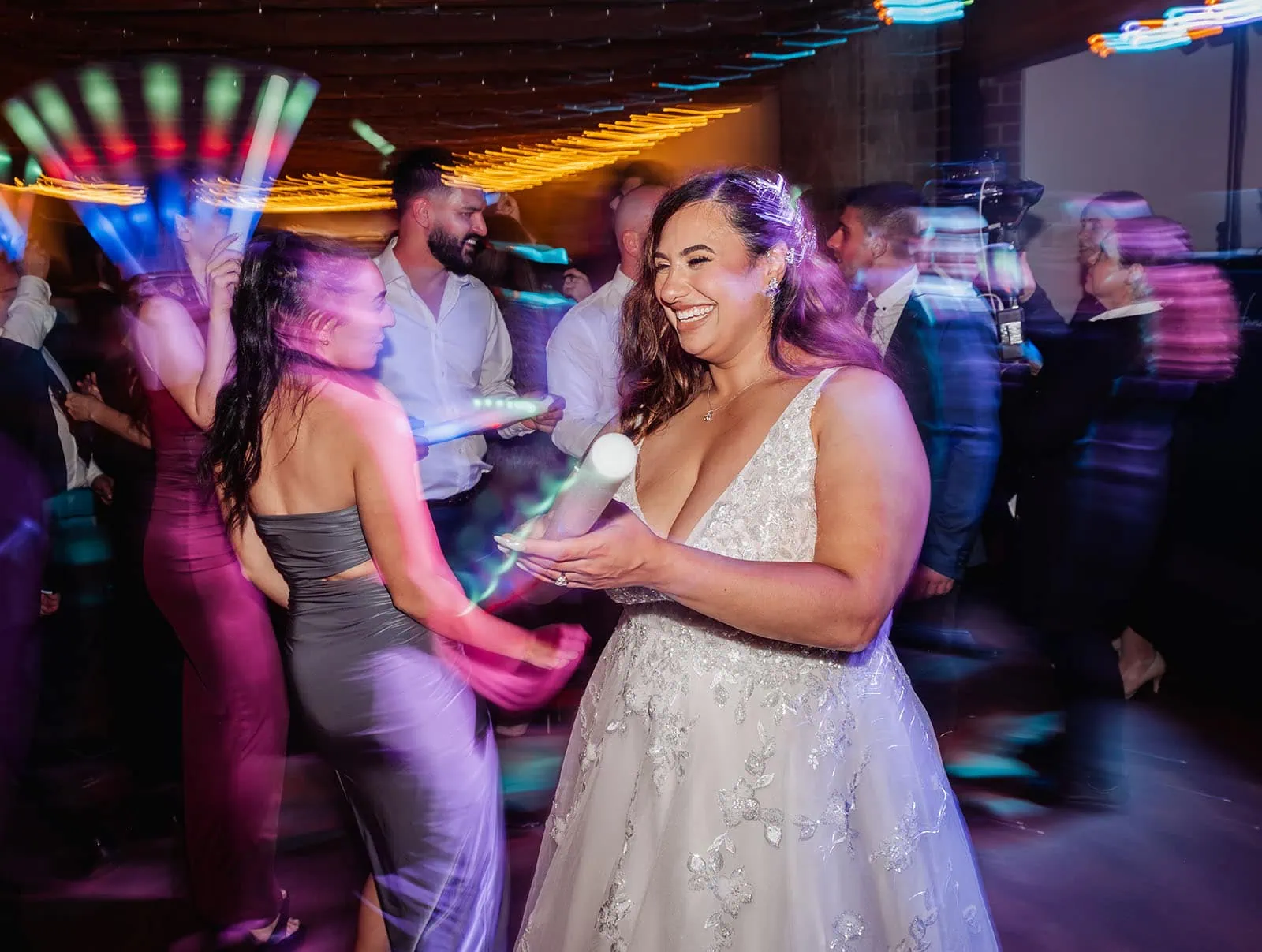
Bride dancing with guests under colorful lights at a lively wedding reception.
Live Leaderboards Create Friendly Competition
One of the biggest reasons printable scavenger hunt QR codes feel outdated is that they cannot create a live leaderboard. A static PDF cannot show who is winning. It cannot update points. It cannot encourage guests to jump back in because someone has overtaken them.
Happlee QR can make participation visible. Guests can earn points for completing challenges and then see how they rank against others. That small competitive element makes a huge difference.
People love seeing their name move up a leaderboard. It gives the scavenger hunt energy beyond the first scan. A guest who might complete one or two challenges on a printable sheet may complete many more when there is a visible score attached.
Leaderboards also create natural conversation. Guests start comparing tasks, asking what others have found, teaming up across tables, and looking for creative ways to capture better photos. That is exactly the kind of interaction event hosts want.
Discovery Rewards Make the QR Code Feel Magical
Happlee QR also introduces the idea of discovery rewards. Instead of simply uploading a photo and moving on, guests can unlock surprises when they complete certain actions.
For example, a guest might upload a photo of the first dance and instantly unlock a hidden message, bonus challenge, digital reward, prize entry, or special reveal. Another guest might capture a candid laugh, find a secret table detail, or complete a group selfie challenge and discover something new inside the event hub.
This is where the experience becomes far more exciting than a printable scavenger hunt. Guests are no longer just following instructions. They are exploring the event, looking for moments, and being rewarded for joining in.
The psychology is simple. When guests know that scanning, uploading, or completing a task might unlock something, they are far more likely to keep participating.
Woman unlocks an augmented reality wedding reward on her smartphone during a glowing reception celebration.
You Collect More Guest Photos
Every couple wants more candid wedding photos. Professional photography captures the big moments beautifully, but guests see the day from hundreds of different angles. They see the table reactions during speeches, the flower girl stealing dessert, the cousins laughing outside, the dance floor chaos, and the tiny in-between moments that make the event feel alive.
A printable scavenger hunt might encourage guests to take those photos, but it does not guarantee the couple receives them. Happlee QR closes that gap by allowing guests to upload directly from their phones.
That means the scavenger hunt is not just entertainment. It becomes a photo collection strategy. Guests are encouraged to capture specific moments, and those memories are gathered into one central place instead of being lost in private camera rolls.
This is one of the biggest advantages of moving beyond a printable scavenger hunt QR code. The photos do not simply exist. They are actually collected.
No Apps, No Accounts, No Fuss
One of the reasons people like printable scavenger hunt QR codes is that they feel simple. Nobody wants guests to download an app, create an account, or deal with a complicated system just to join a wedding game.
Happlee QR keeps that simplicity. Guests scan the QR code and participate directly from their phone browser. There is no app required. There is no awkward registration process for guests. The experience is designed to be quick, mobile-friendly, and easy enough for a wide range of ages.
That matters at weddings. Your guests might include teenagers, grandparents, international family members, work friends, and people who do not consider themselves tech-savvy. A good event QR system needs to feel effortless.
When the experience is simple, participation increases.
Printable Scavenger Hunts Still Have Their Place
There are still situations where a printable scavenger hunt makes sense. If you are running a small children’s birthday party, a classroom activity, or an event where internet access is unreliable, a paper-based option can be perfectly fine.
Printable lists are also useful when the goal is purely casual entertainment and you do not care about collecting submissions, scoring results, or keeping guests engaged throughout the event.
But for weddings, corporate events, fundraisers, parties, and celebrations where guest interaction matters, printable scavenger hunts now feel limited. They are a starting point, not the final form.
When the same QR code can host the challenge, collect the photos, score the players, reveal rewards, and build a shared gallery, printing a static list starts to feel unnecessary.
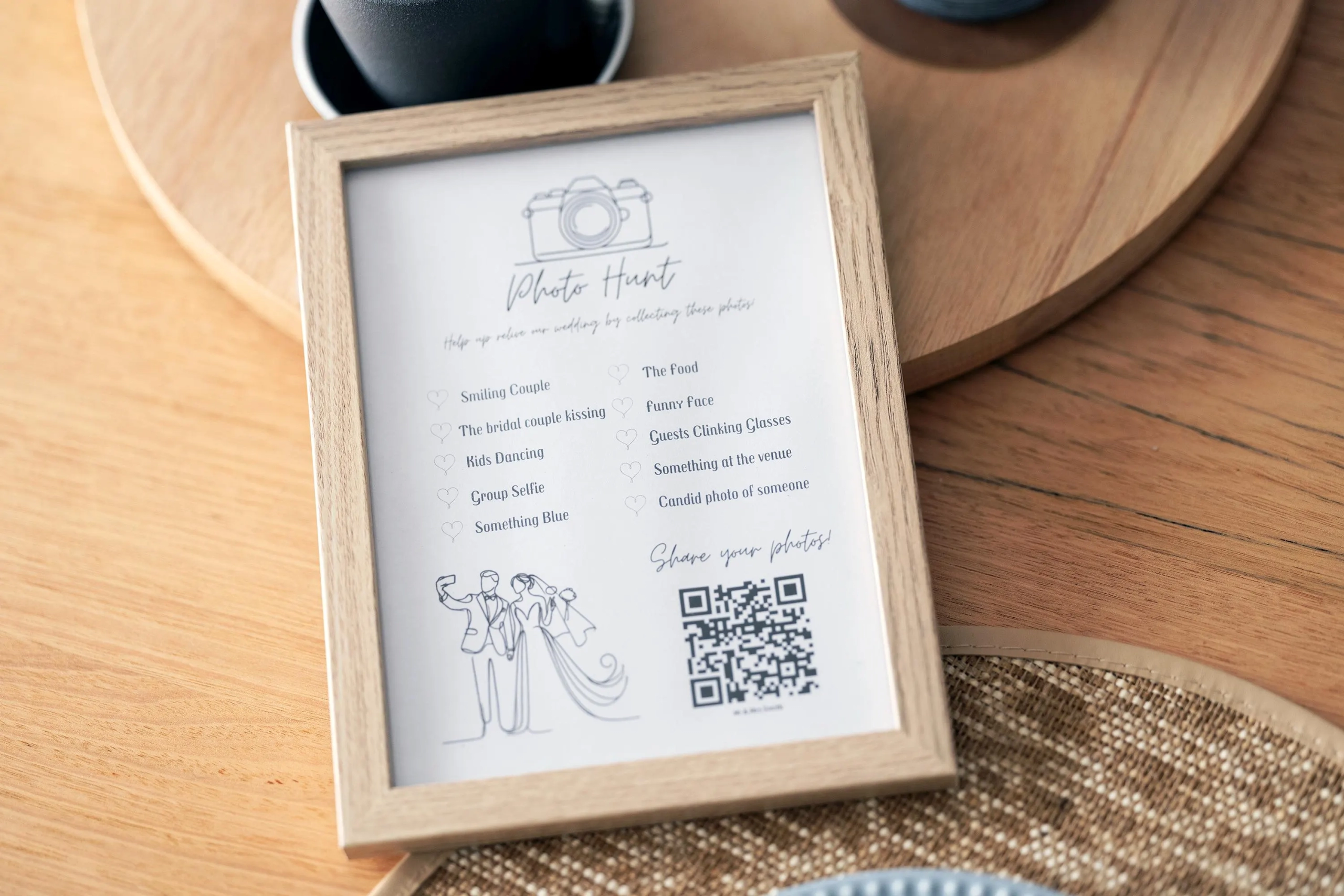
Wedding photo hunt invitation encourages guests to capture and share memorable moments using a QR code, with a list of suggested shots to photograph.
Wedding Scavenger Hunt Ideas That Work Beautifully With Happlee QR
The best photo scavenger hunt challenges are simple, joyful, and tied to moments already happening throughout the event. You do not want guests to feel like they are being pulled away from the celebration. You want them to notice more of it.
Upload a photo of the first dance.
Capture the biggest laugh of the night.
Find someone wearing something blue.
Take a selfie with someone from another table.
Photograph the best dance move.
Find the most emotional reaction during speeches.
Capture a detail from the table styling.
Upload a photo of the cake before it is cut.
Find a guest who has known the couple for more than ten years.
Take a group photo with at least five people.
With a printable scavenger hunt, these are simply prompts. With Happlee QR, they become trackable, uploadable, point-scoring moments.
Corporate Events and Parties Can Use It Too
Although Happlee QR has a natural fit with weddings, interactive scavenger hunts can also work brilliantly for corporate events, brand activations, school formals, milestone birthdays, conferences, and community fundraisers.
For a corporate event, challenges might encourage guests to visit sponsor booths, meet someone from another department, find a product display, take a branded team photo, or answer trivia connected to the business.
The advantage is the same: you get engagement and content. Guests are encouraged to move, mingle, participate, and upload useful event photos. A printable sheet might get a few people involved. A live QR experience can turn participation into part of the event atmosphere.
One QR Code, Many Reasons to Scan
The strongest argument against a printable scavenger hunt QR code is that modern event QR codes should not be single-purpose. If you are already asking guests to scan a code, make that scan worthwhile.
Happlee QR can combine several event tools in one place. A guest might scan to find their seat, then come back later to upload a photo, complete a scavenger hunt challenge, write in the guestbook, answer a poll, play trivia, view the slideshow, or contribute to the wishing well.
That is the real difference. A printable scavenger hunt gives guests one reason to scan once. Happlee QR gives guests many reasons to return throughout the event.
The more reasons guests have to scan, the more useful your QR code becomes.
Wedding guests use Happlee QR to share photos on smartphones under warm string lights.
The Future of Event Scavenger Hunts Is Interactive
Printable scavenger hunt QR codes were a useful step between paper games and fully digital event experiences. They made distribution easier, reduced table clutter, and helped people access the list from their phones.
But the next step is already here. Guests can now scan a QR code and participate in a live, interactive, reward-driven experience that collects real memories for the host.
That is what makes Happlee QR so exciting. It takes a familiar idea and makes it genuinely useful for modern events. The scavenger hunt is no longer just a list. It becomes a reason for guests to explore, upload, compete, discover, and remember more of the day.
If you are planning a wedding, party, or event and thinking about using a printable scavenger hunt QR code, consider whether you want a static checklist or a complete interactive experience.
For more guest engagement ideas, visit Happlee QR.
Frequently Asked Questions
What is a printable scavenger hunt QR code?
A printable scavenger hunt QR code is a QR code that links guests to a scavenger hunt list, usually as a PDF, webpage, or image. Guests scan the QR code and follow the prompts using their phone.
Why is a digital scavenger hunt better than a printable one?
A digital scavenger hunt can collect photo uploads, track points, show leaderboards, and reward guests instantly. A printable scavenger hunt usually only provides a static checklist.
Do guests need to download an app to use Happlee QR?
No. Happlee QR works from a phone browser, so guests can scan the event QR code and participate without downloading an app.
Can Happlee QR collect guest photos?
Yes. Happlee QR can collect guest photo and video uploads, making it much easier for couples and organisers to receive candid event memories from guests.
Can a QR code scavenger hunt include points and leaderboards?
Yes. With an interactive platform like Happlee QR, scavenger hunt challenges can award points and display rankings through an engagement leaderboard.